


Every part of outbound, in one app.
Leads, signals, emails, LinkedIn, inboxes, meetings and a CRM in one workspace. Run it yourself, from your AI agent, or have our team run it for you.
01 · Today
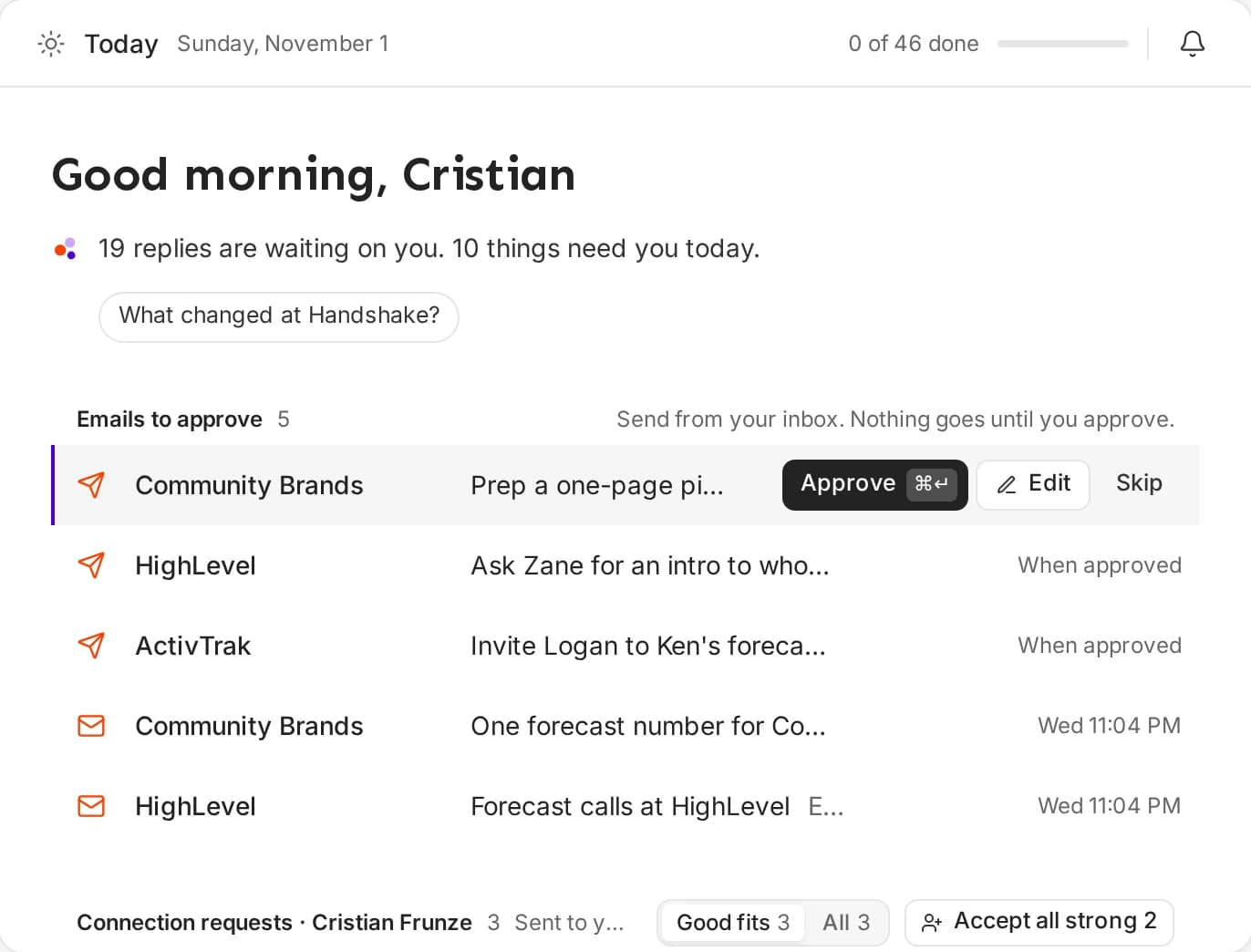
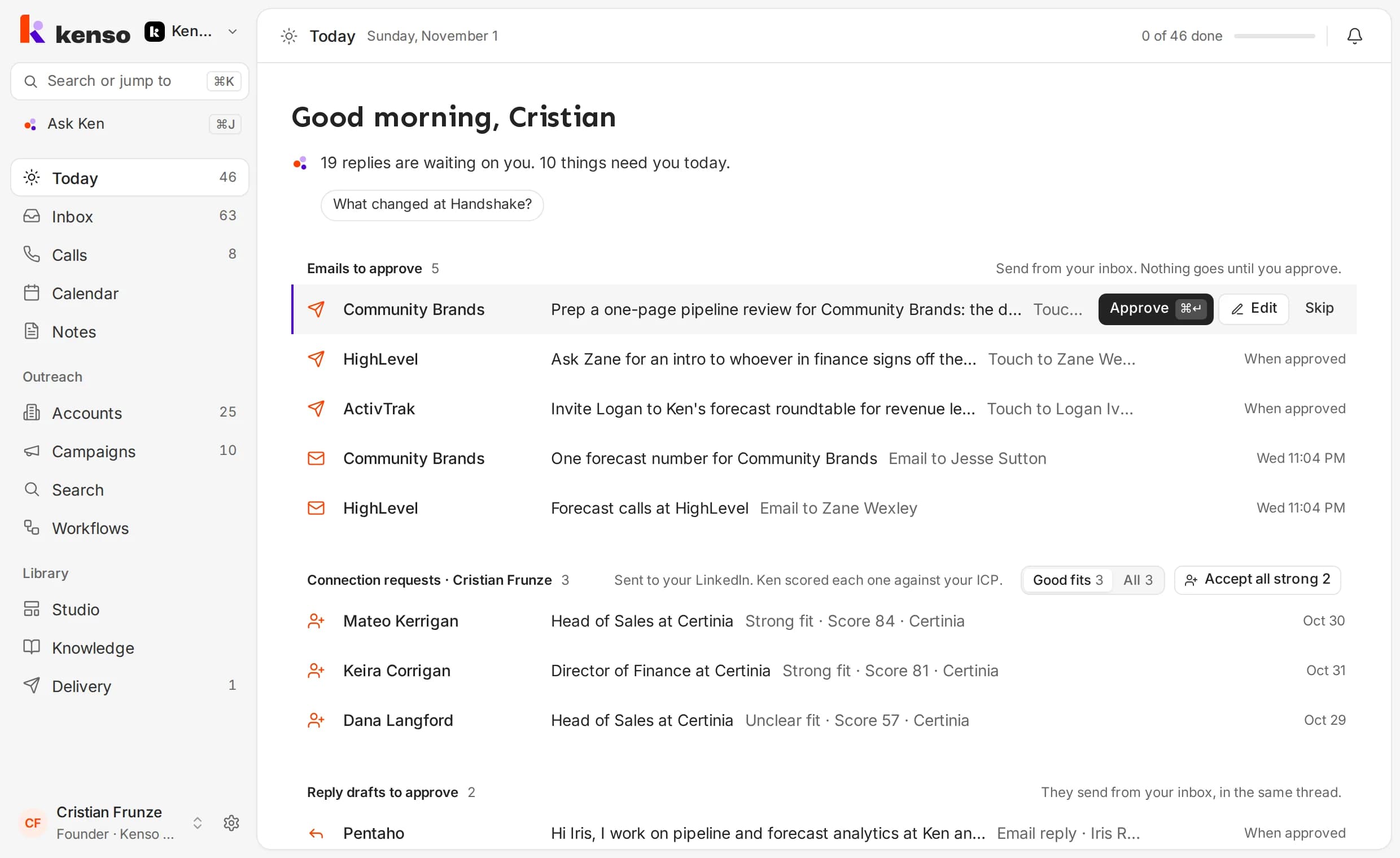
Start the day with what to approve.
Today is one queue for everything Ken drafted: the email, the LinkedIn note and the call task for your accounts, and each batch for your campaigns. Approve, edit or snooze each one from the keyboard.
- Approve with A, edit with E
- Campaign batches reviewed through five samples
- Nothing in Accounts sends without your approval
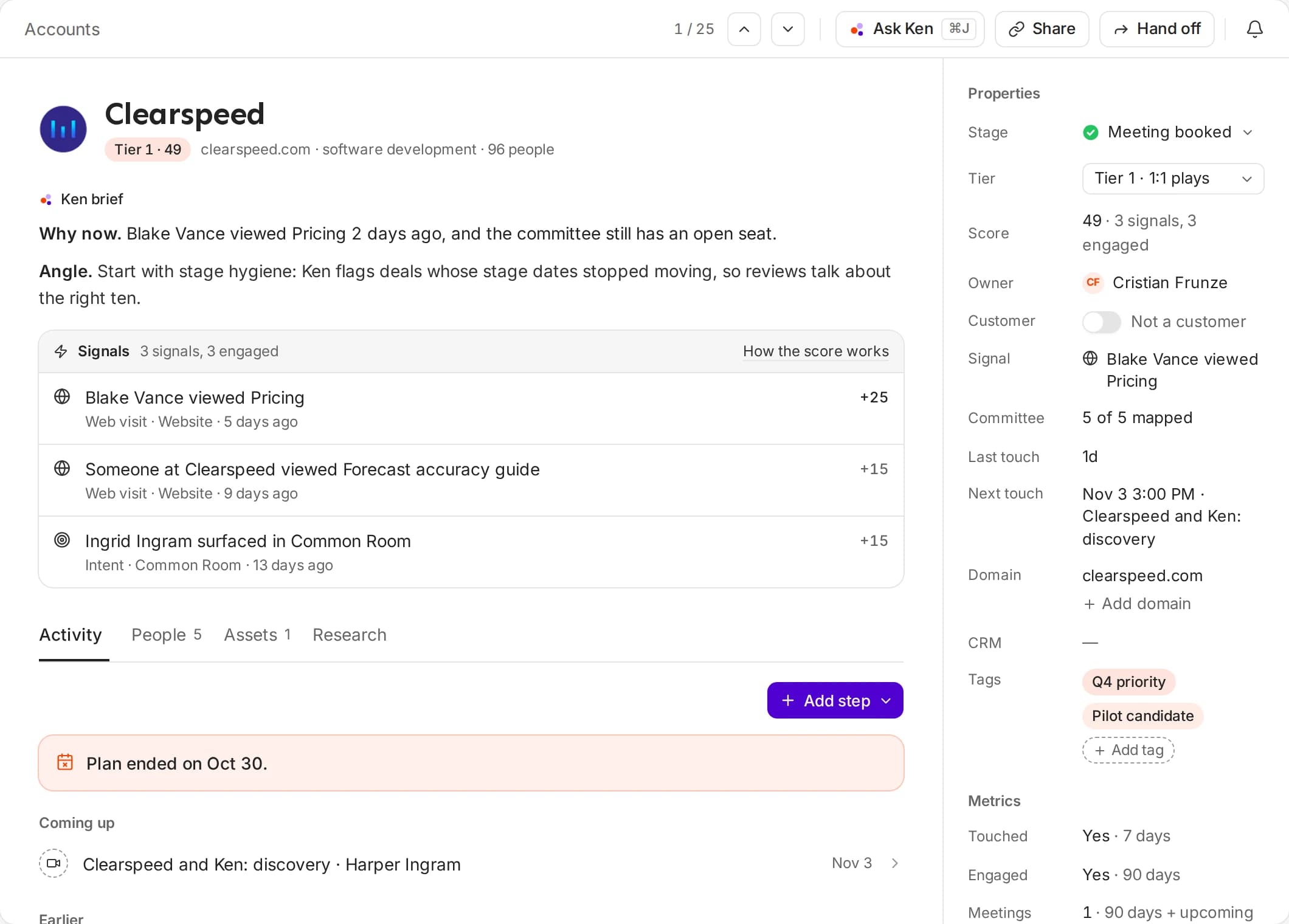
02 · Accounts
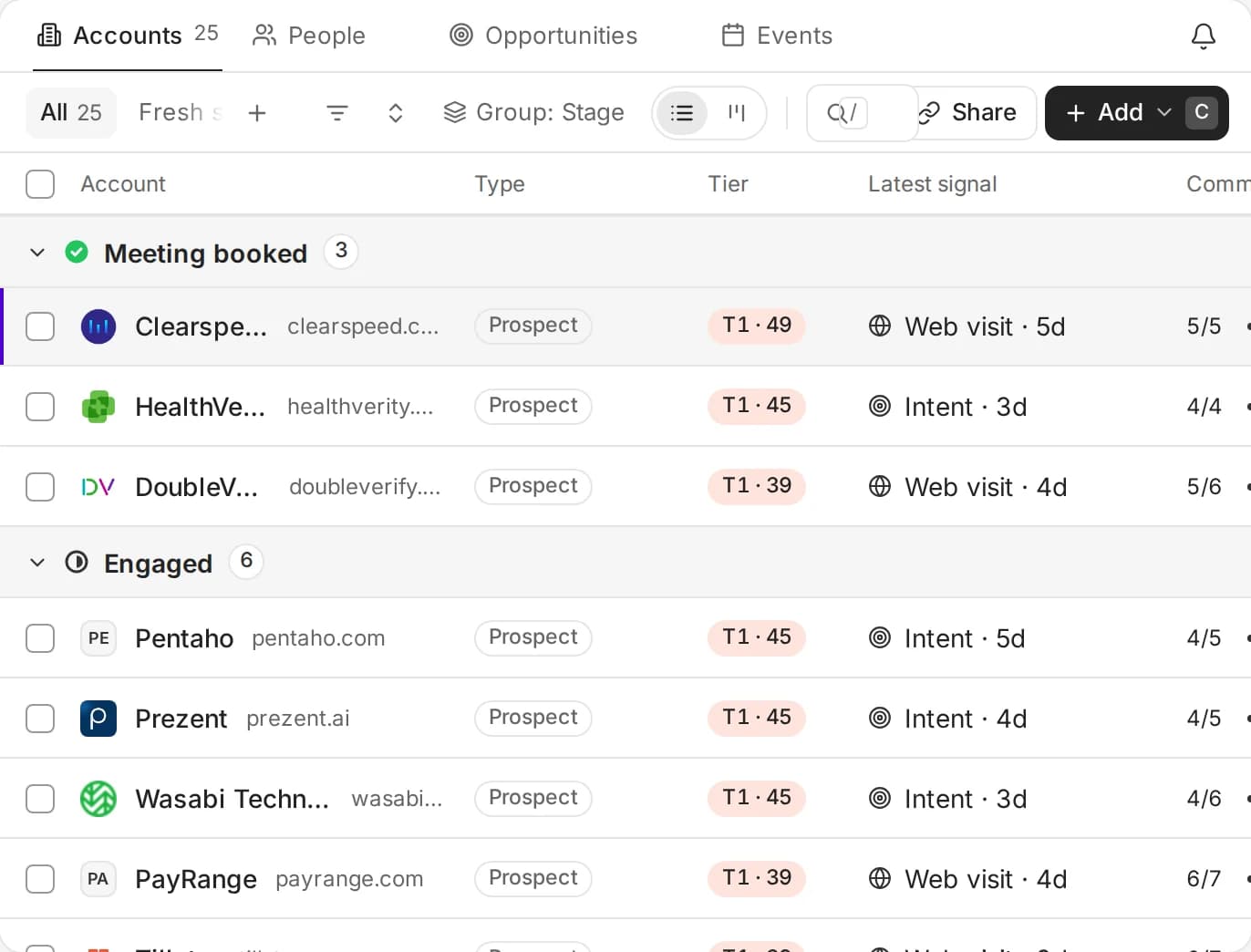
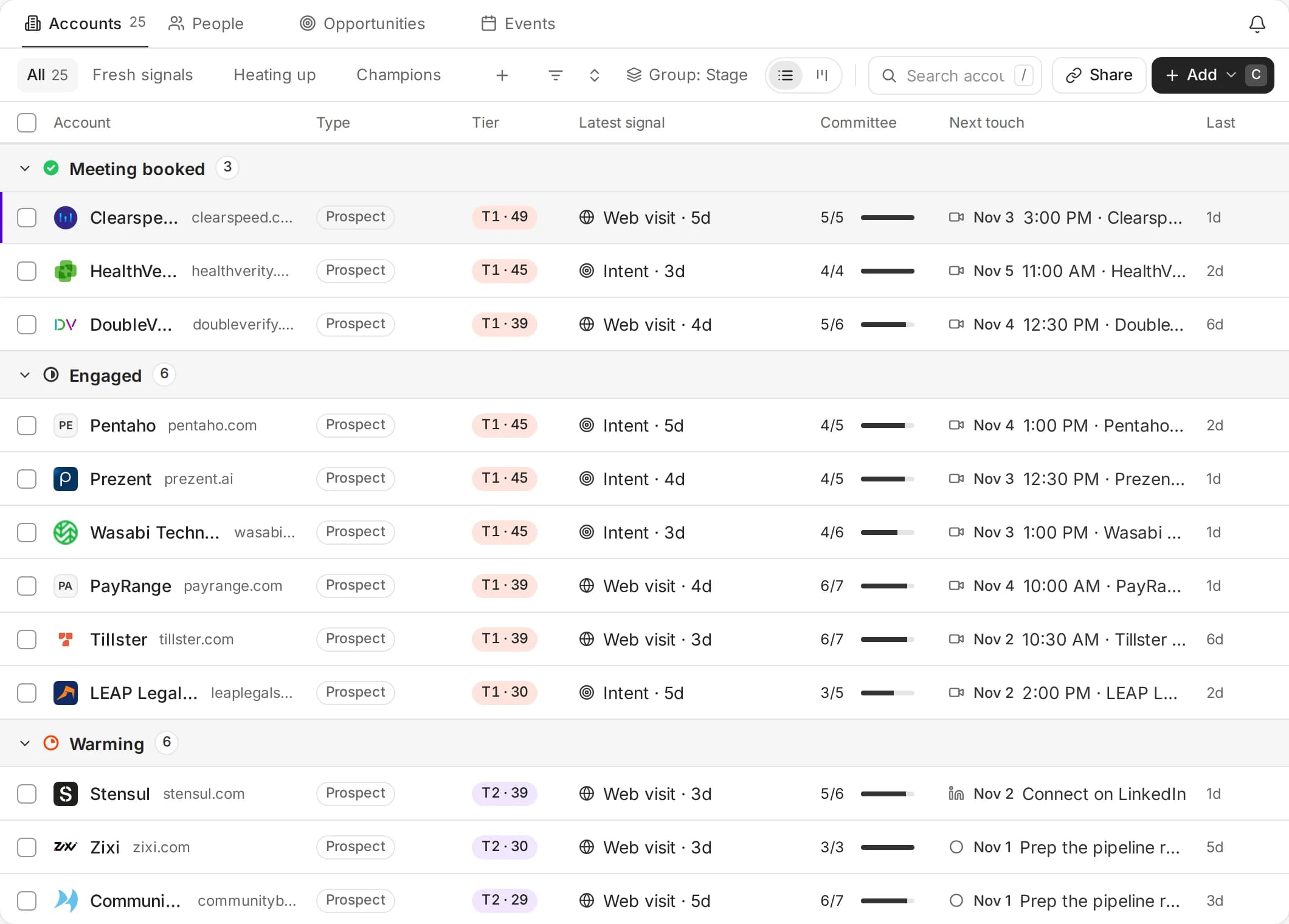
Accounts, for the deals that matter.
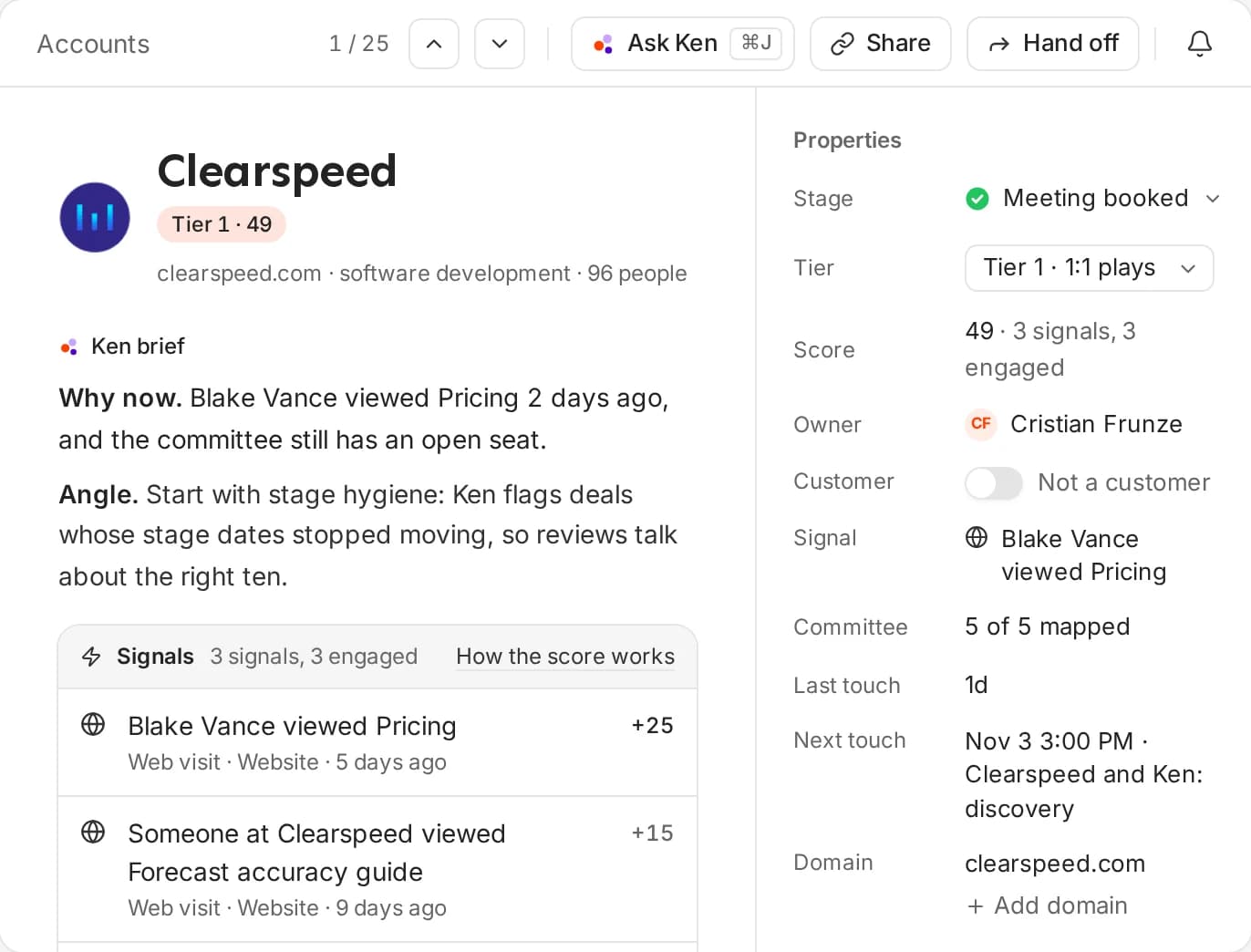
Your biggest accounts get their own lane. Ken writes a brief for each one - why now, the angle, the signals - maps the buying committee and plans every touch. When the account is ready, hand it to an AE with the brief attached.
- Grouped by stage, with tier and score
- Buying committee mapped as an org tree
- Hand off to an AE with Ken's brief
03 · Campaigns
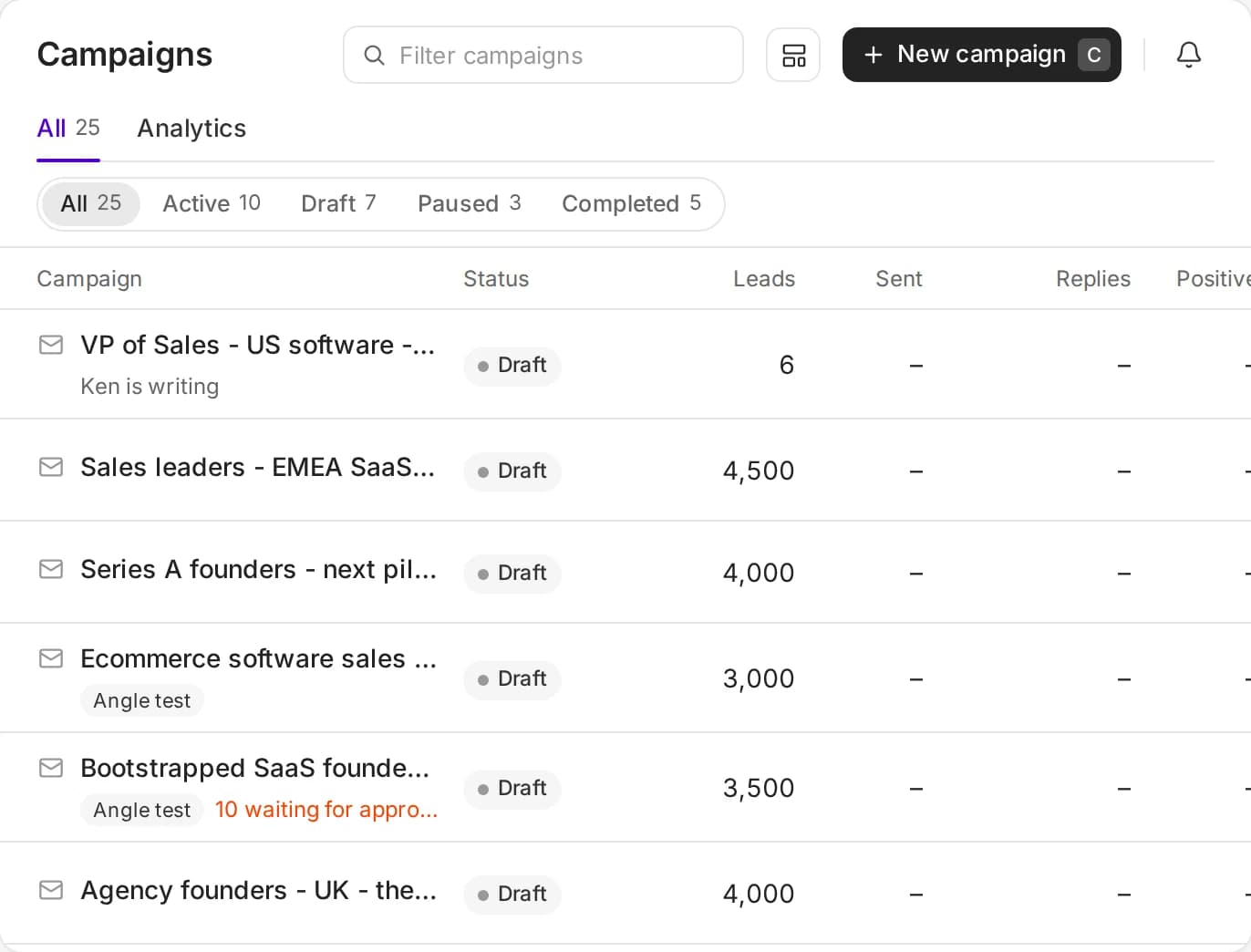
Campaigns, for the whole market.
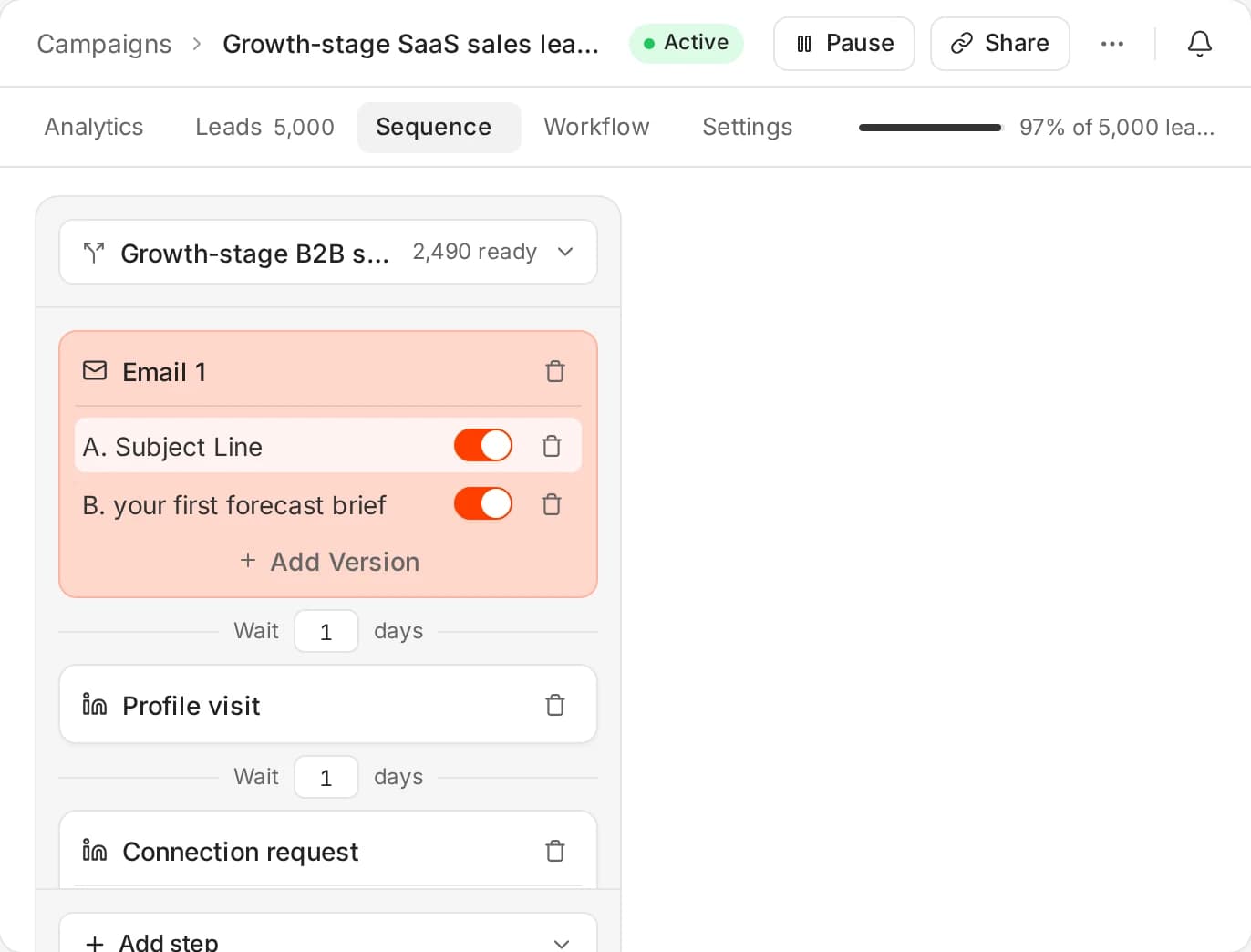
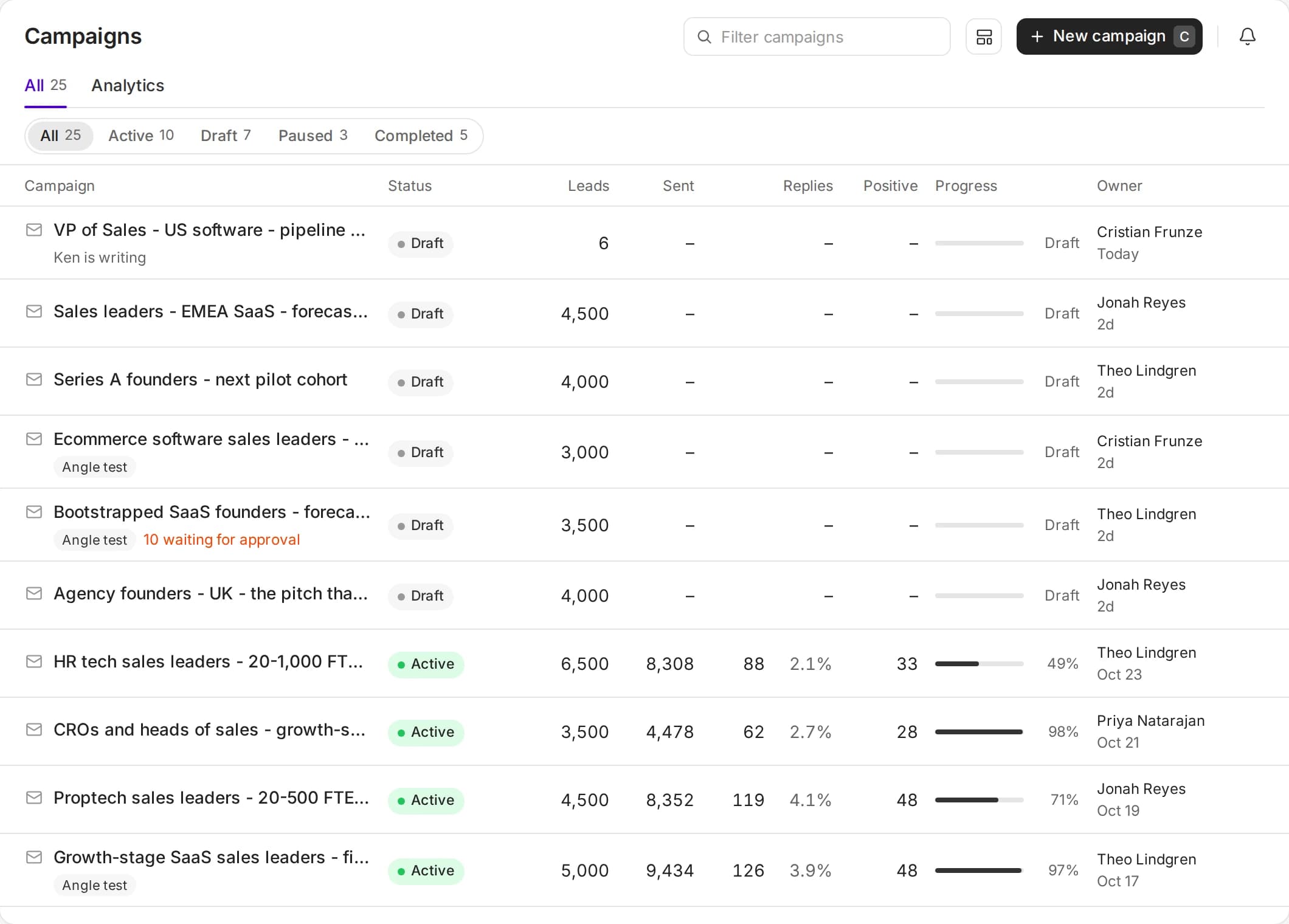
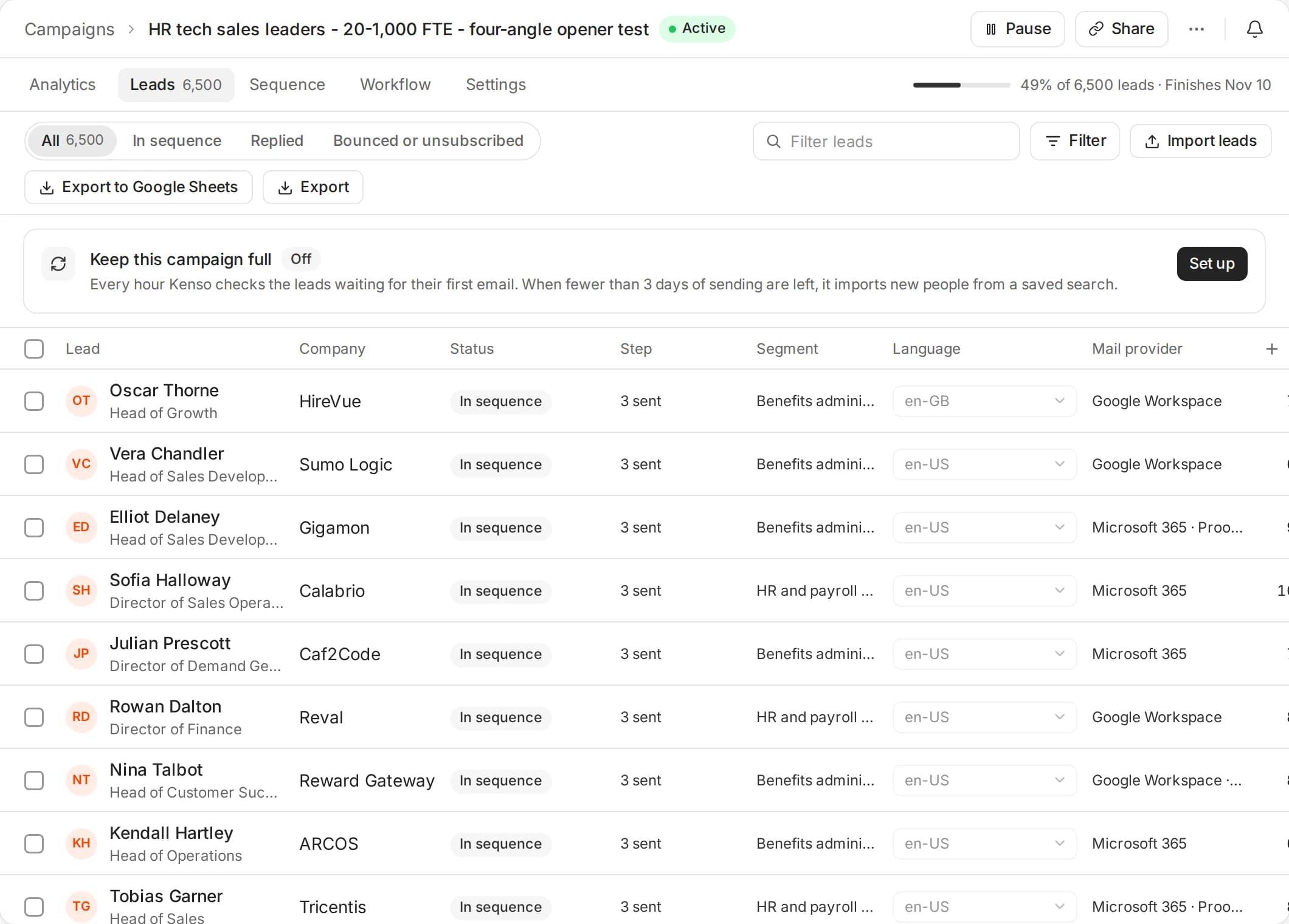
Reach every company that fits with sequences written per segment. Each campaign keeps its leads, sequence, workflow and analytics in one place, and skips anyone already in an account play.
- Segments with their own angle and copy
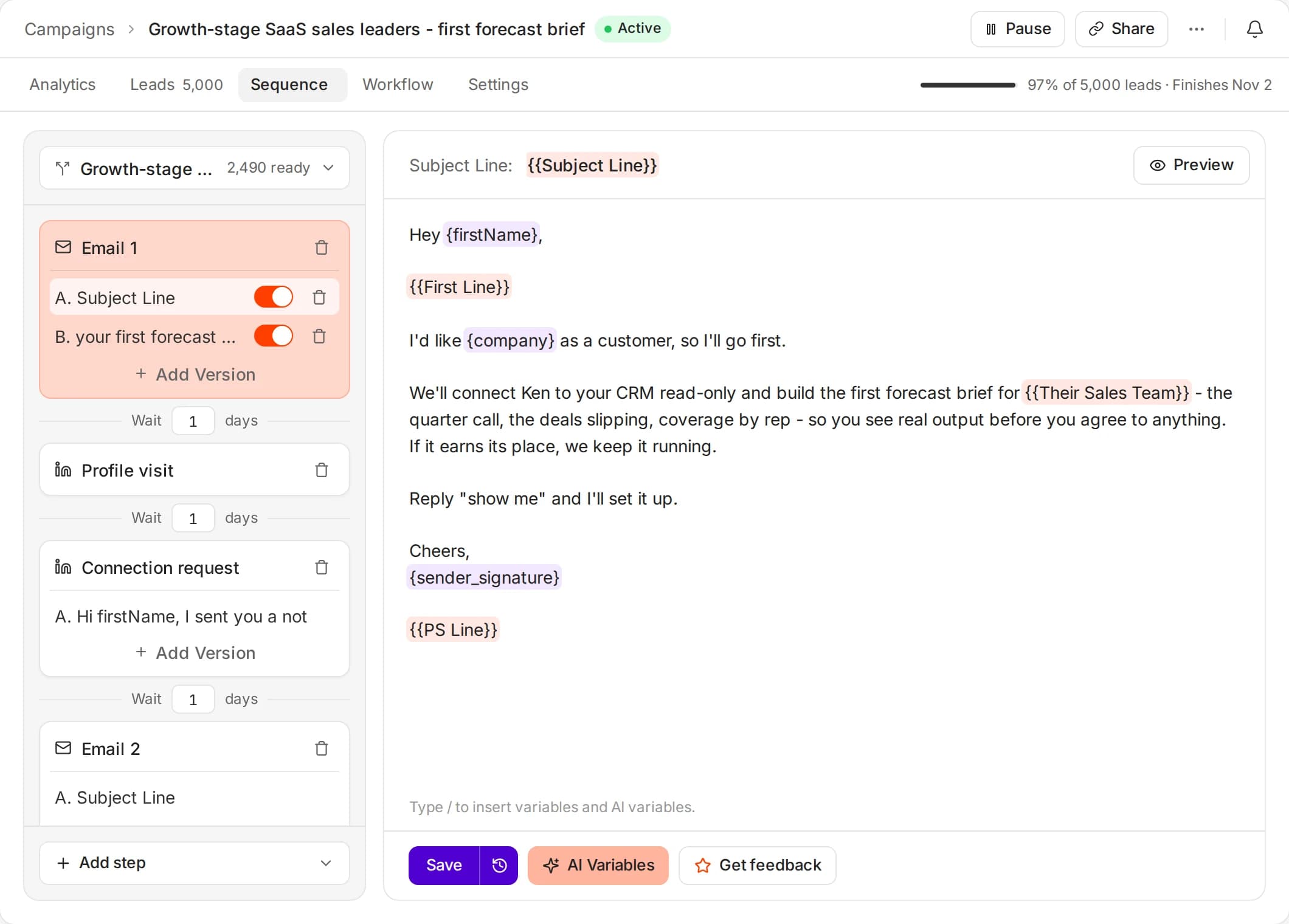
- Email and LinkedIn steps in one sequence
- People in account plays skipped automatically
04 · Data
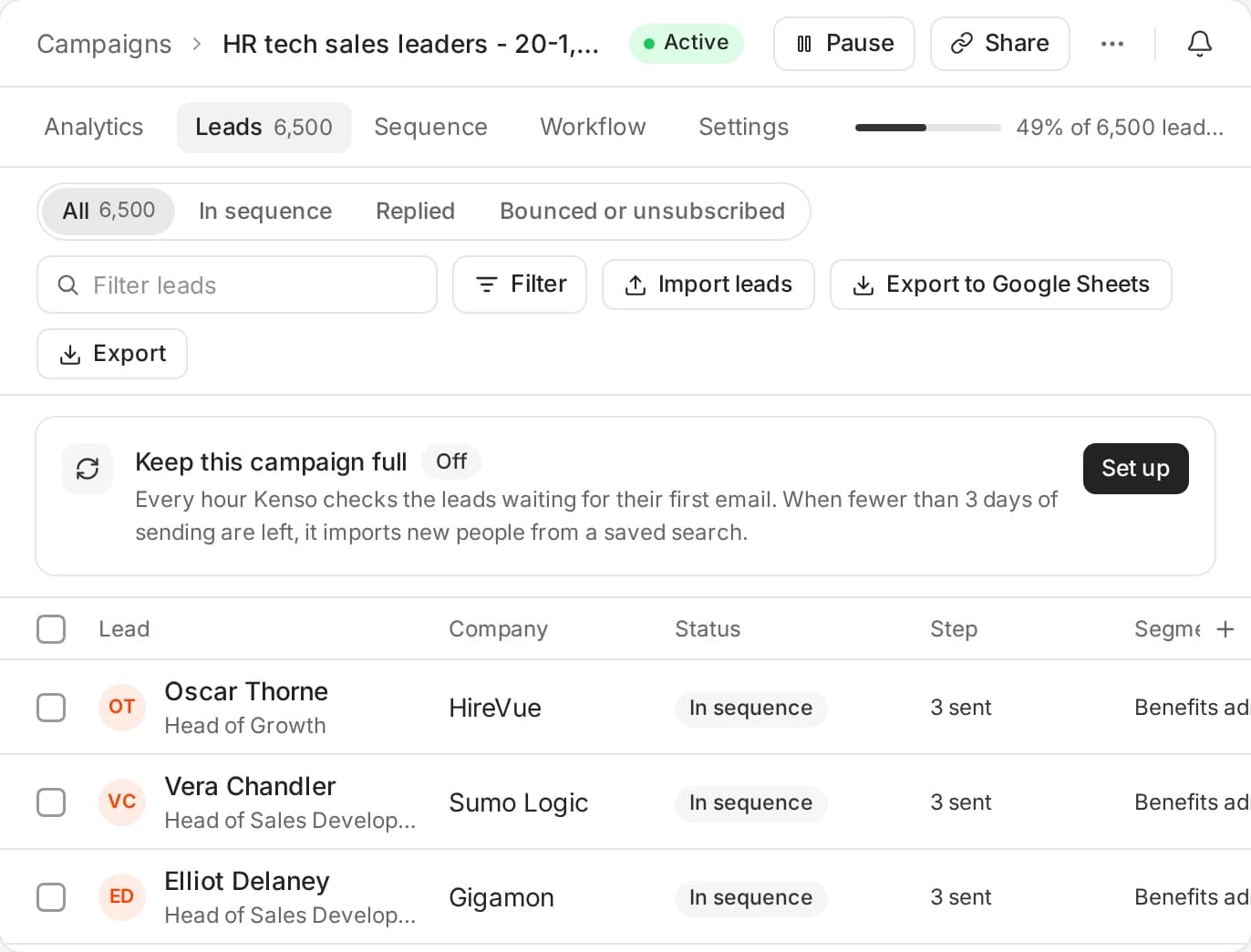
250M people, and the reason to write now.
Search 250M people and 24M companies, or bring your own list. Ken verifies every email, scores each person against your ICP and watches for signals: job changes, new people in seat, hiring, tech stack, funding and news.
- Triple email verification, catch-alls included
- AI qualification on criteria no filter can capture
- CSV and CRM imports, with a smart blocklist
05 · LinkedIn
LinkedIn next to every email.
Ken writes the connection note and the messages for each person and sends them from your rep's own LinkedIn account, in the same sequence as the emails. You approve each one, and a reply on either channel stops the other.
- Profile visits, connection requests and messages
- Safe daily caps on every account
- One sequence, one inbox for both channels
06 · Inbox
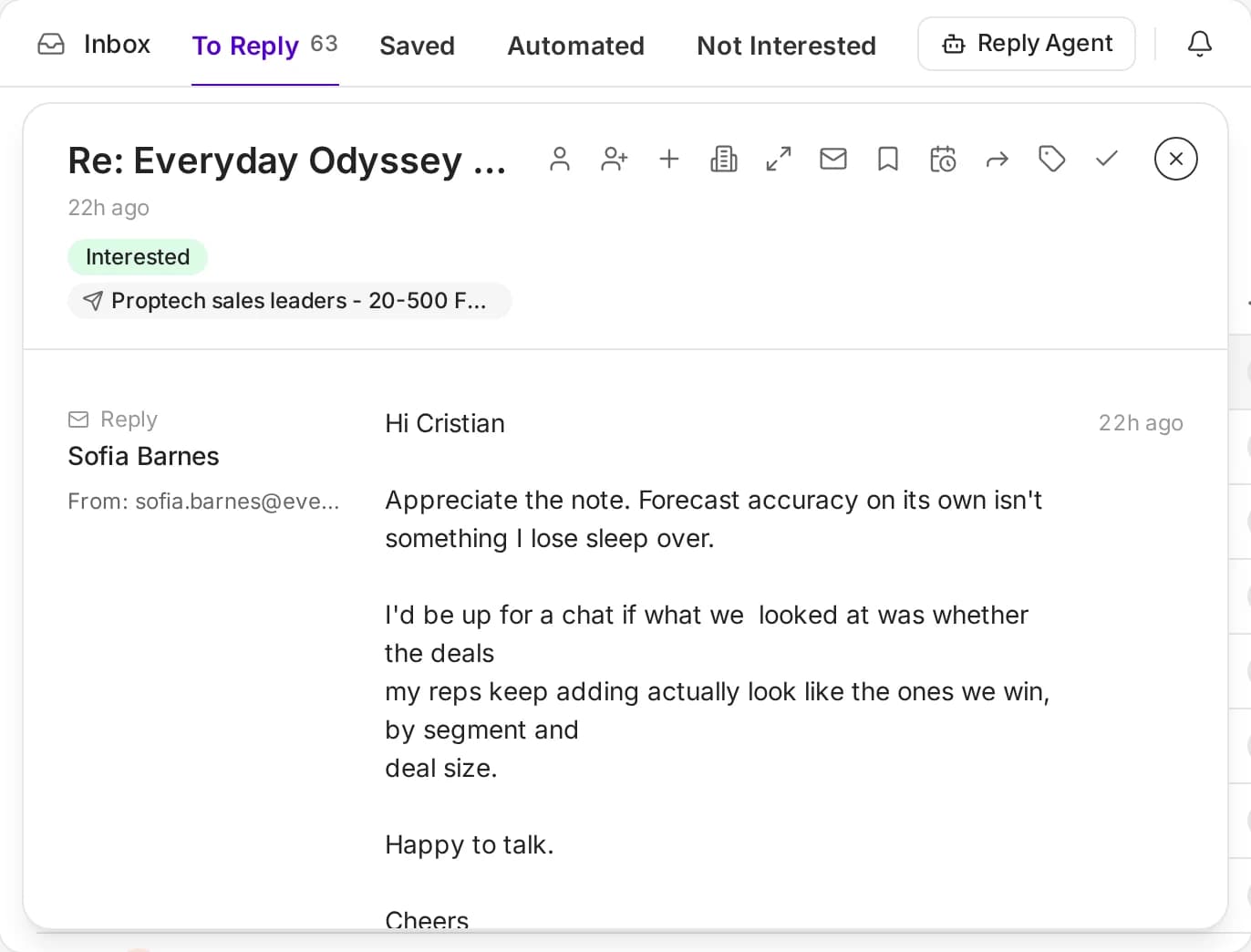
Every reply, sorted by intent.
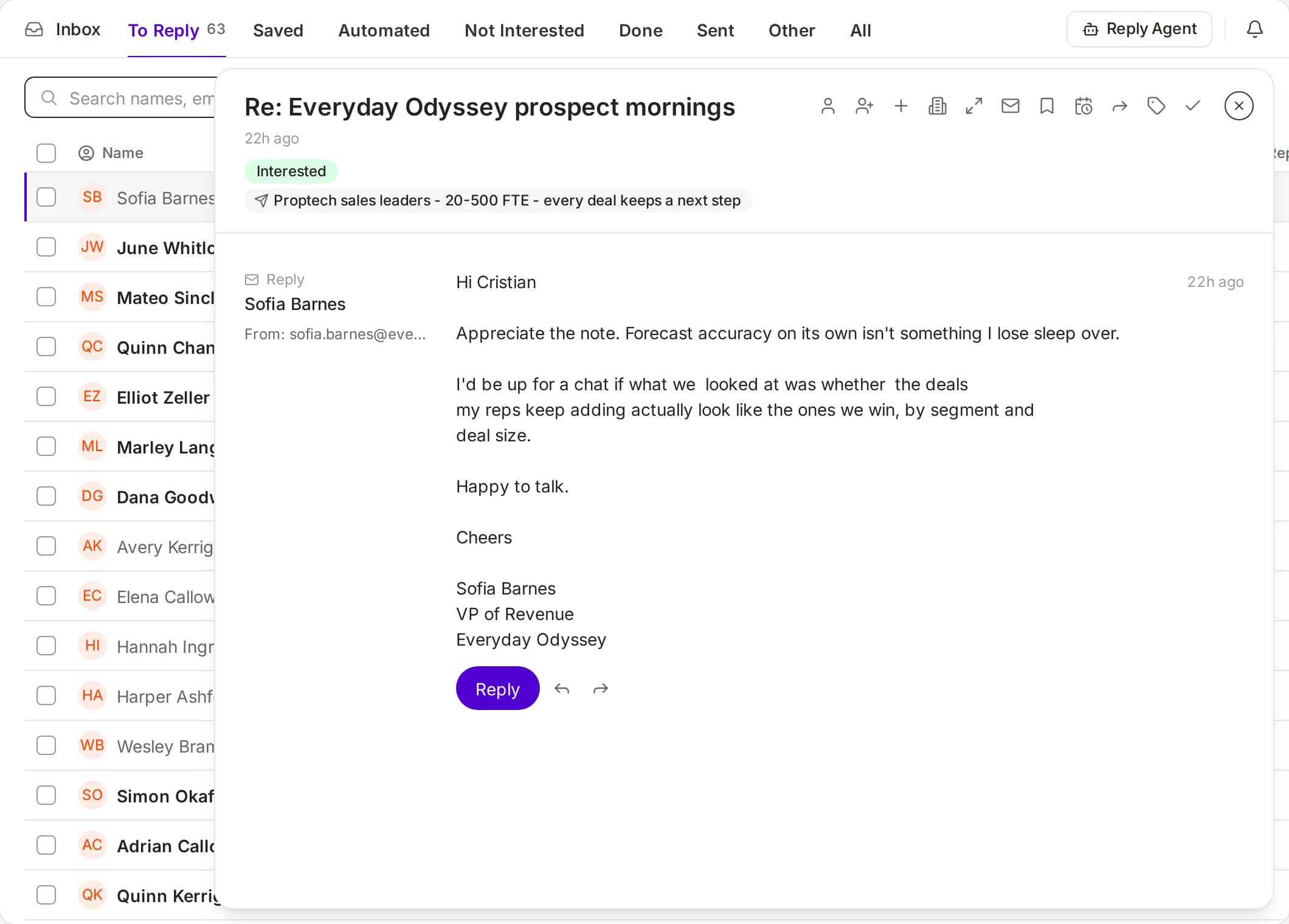
Email and LinkedIn replies land in one inbox, tagged as they arrive: interested, not now, out of office, wrong person. Ken drafts the answer in your voice, and one click moves a thread into Accounts.
- Filter by Accounts or Campaigns
- Out-of-office and wrong-person replies handled
- Reply drafts wait for your edit
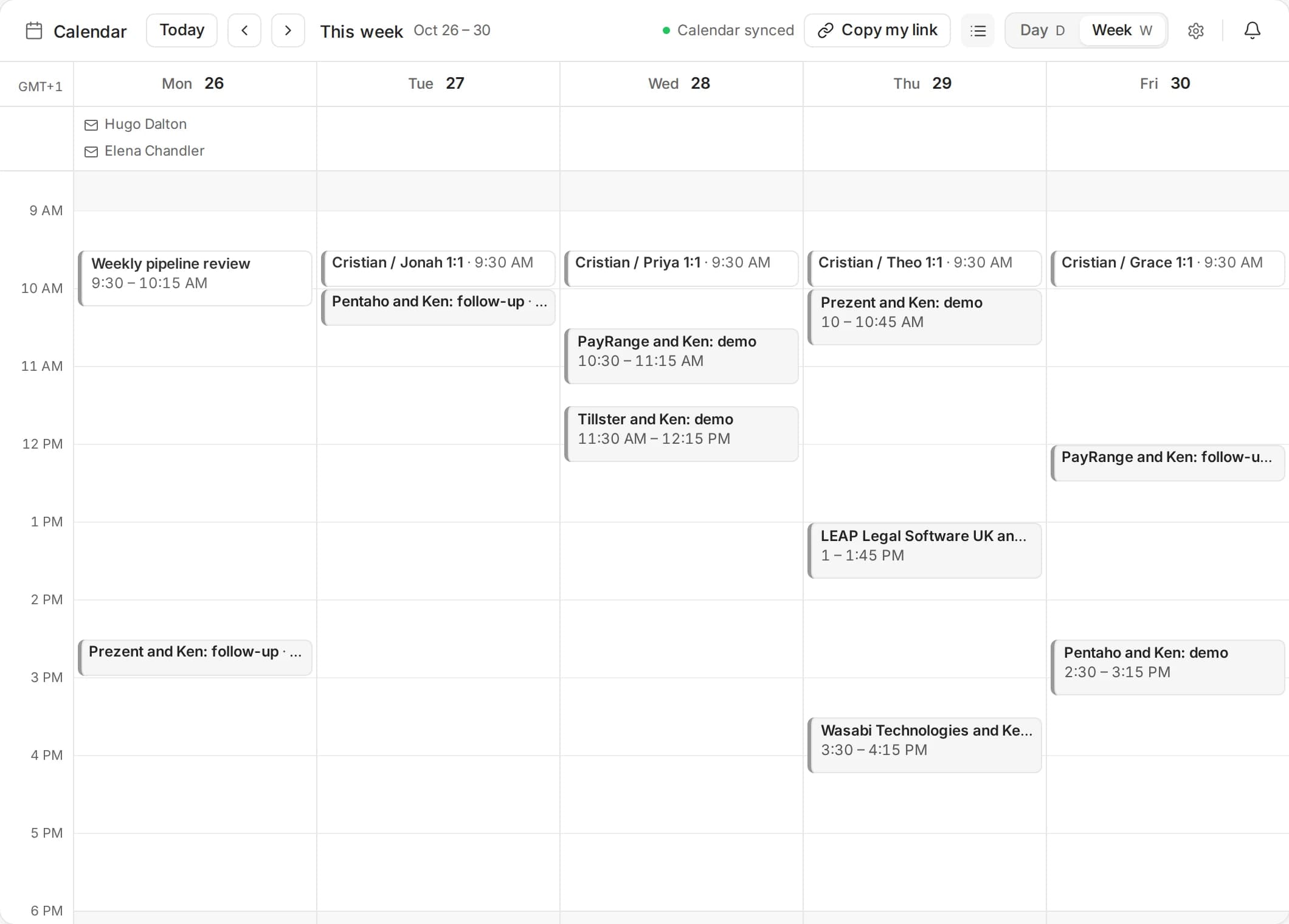
07 · Meetings
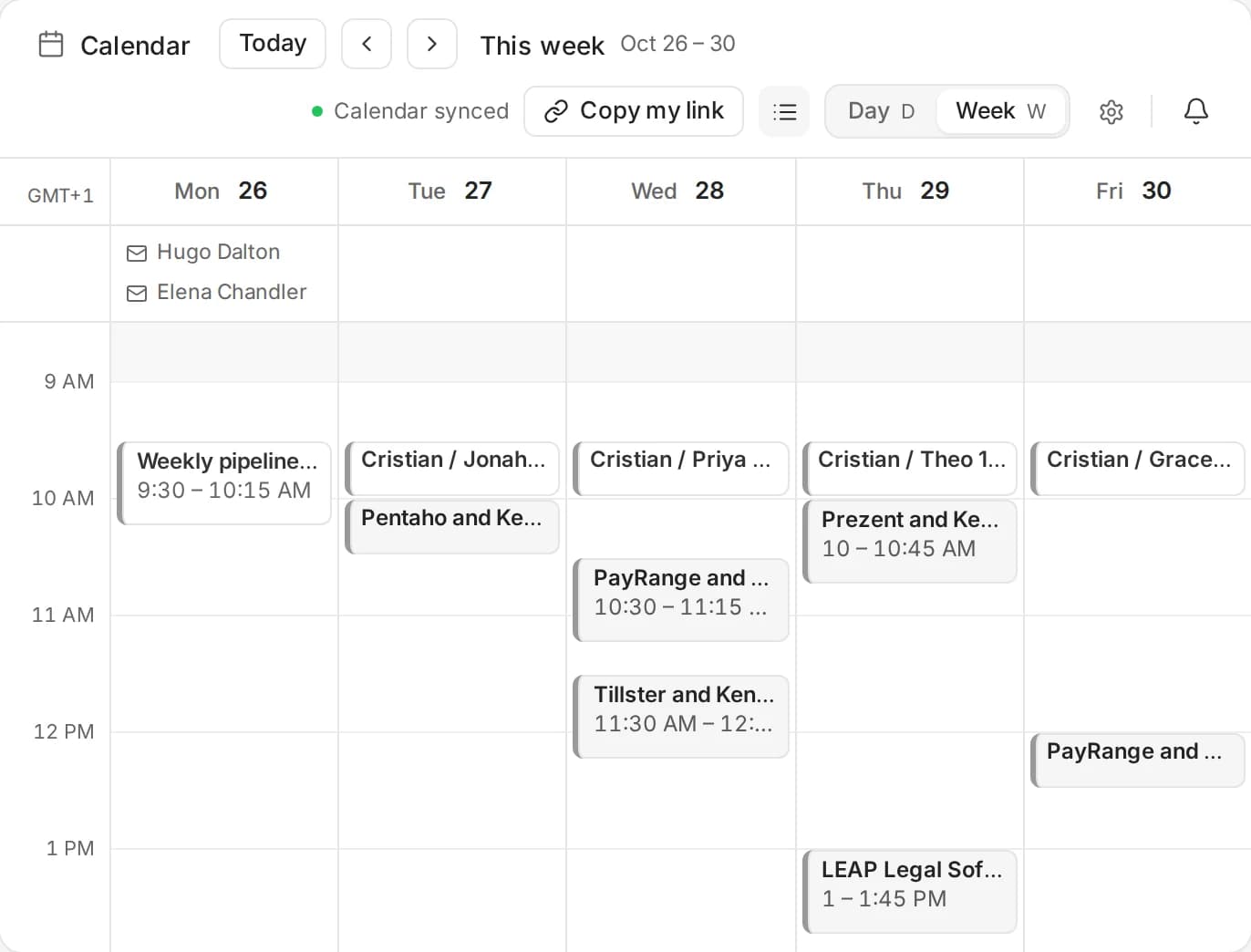
Meetings, booked and written up.
Kenso Scheduler books from your own calendar and mailbox, with round robin across your team. Kenso Notetaker records the call without a bot joining, then writes the notes into the account, Knowledge and your CRM.
- Google and Outlook calendar sync
- Booking pages, round robin and group meetings
- Kenso Notetaker for Mac and Windows
08 · CRM
A CRM that does the research.
Every account keeps its people, signals, deals and history in one record, updated by every email, reply and call. Run Kenso as your CRM, or keep HubSpot, Salesforce, Pipedrive, Attio, Close or HighLevel in two-way sync.
- Deals with stage, amount and owner
- Every touch on the account timeline
- Two-way sync with your CRM
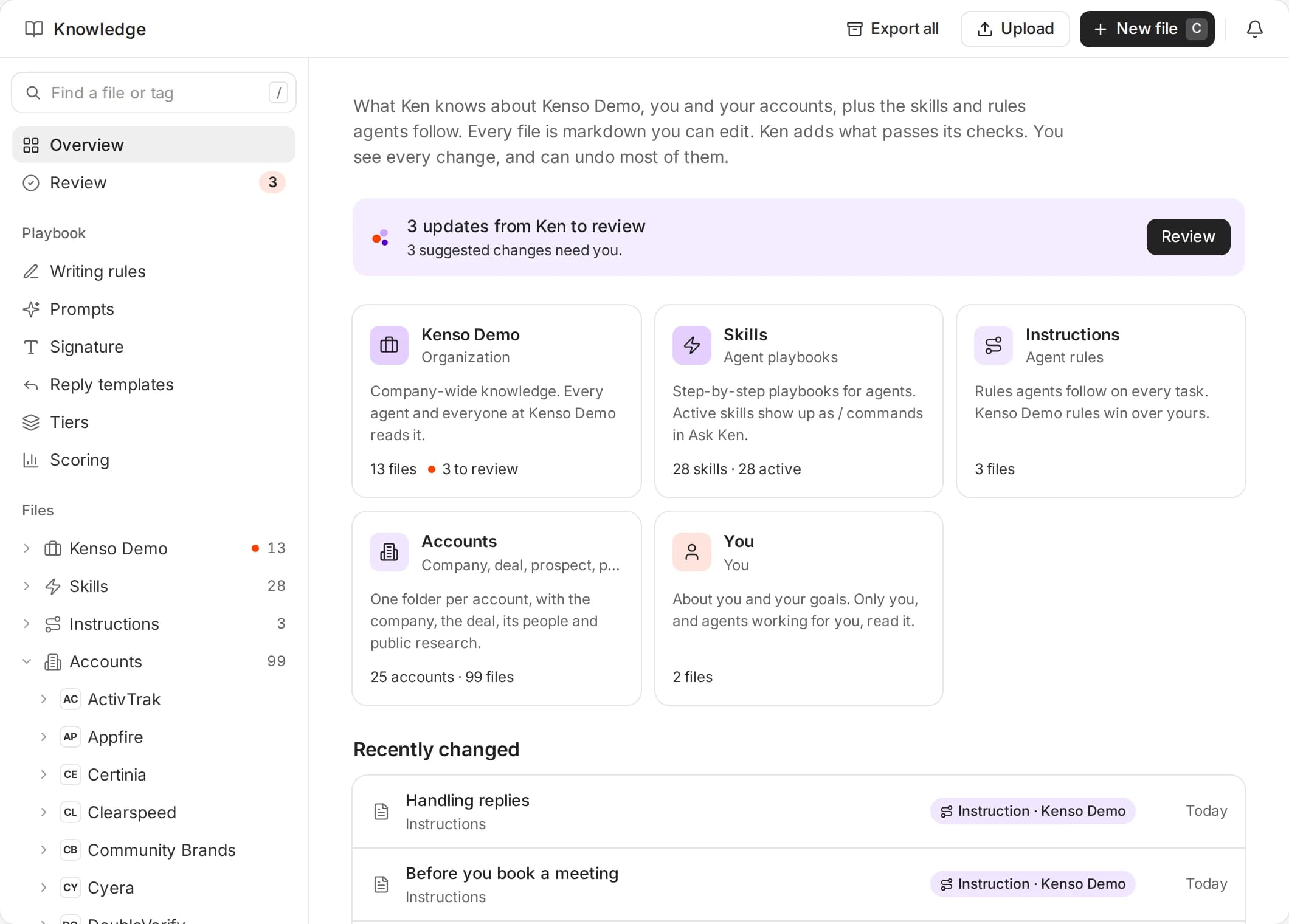
09 · Knowledge
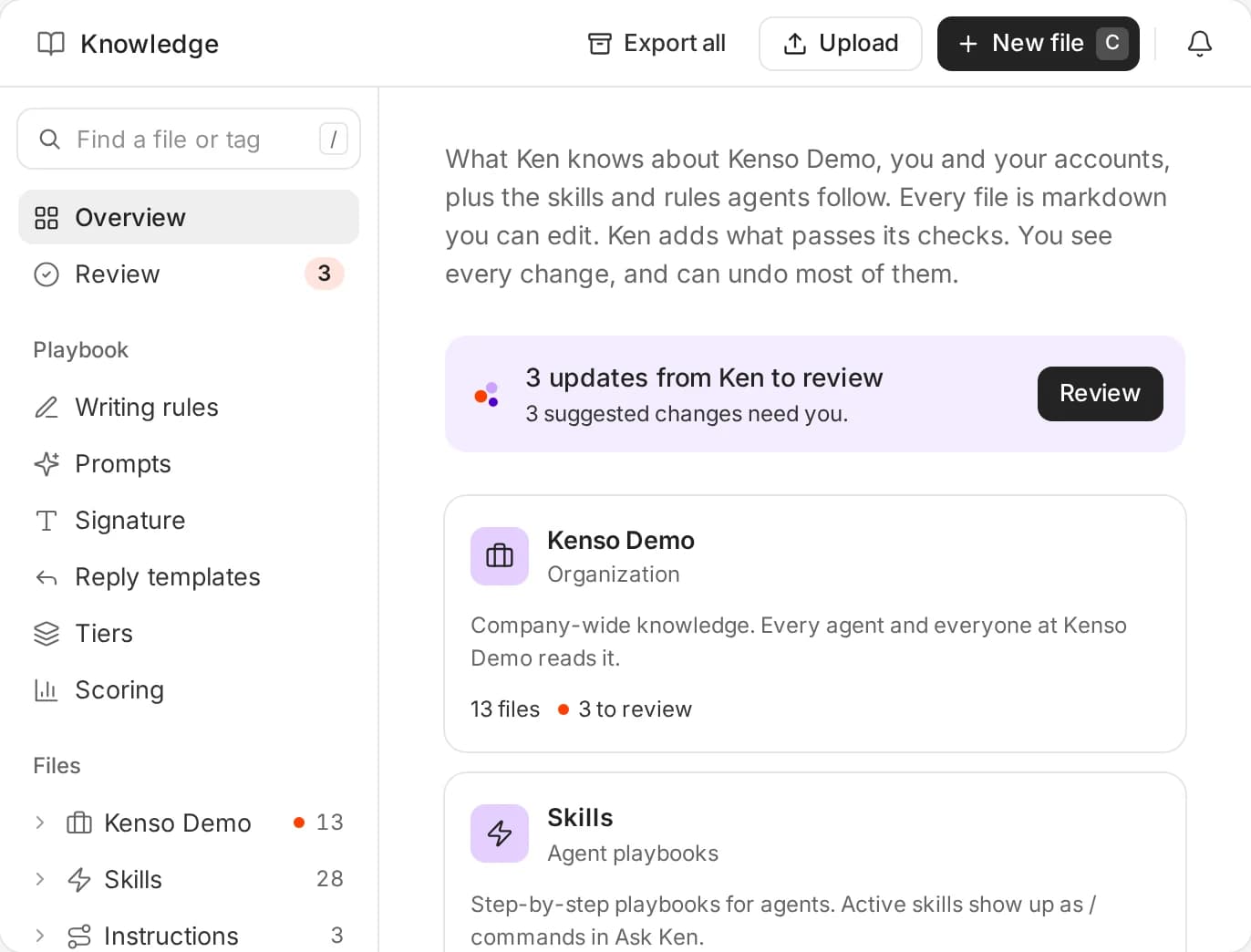
Ken learns your business.
Knowledge holds your playbook: writing rules, prompts, signature, reply templates, tiers and scoring. Facts from mail, calendar, CRM and call recordings are saved paraphrased, with a pointer back to the source.
- Only the mailbox owner can open a source
- A private switch for every user
- Winning tests go back into the playbook
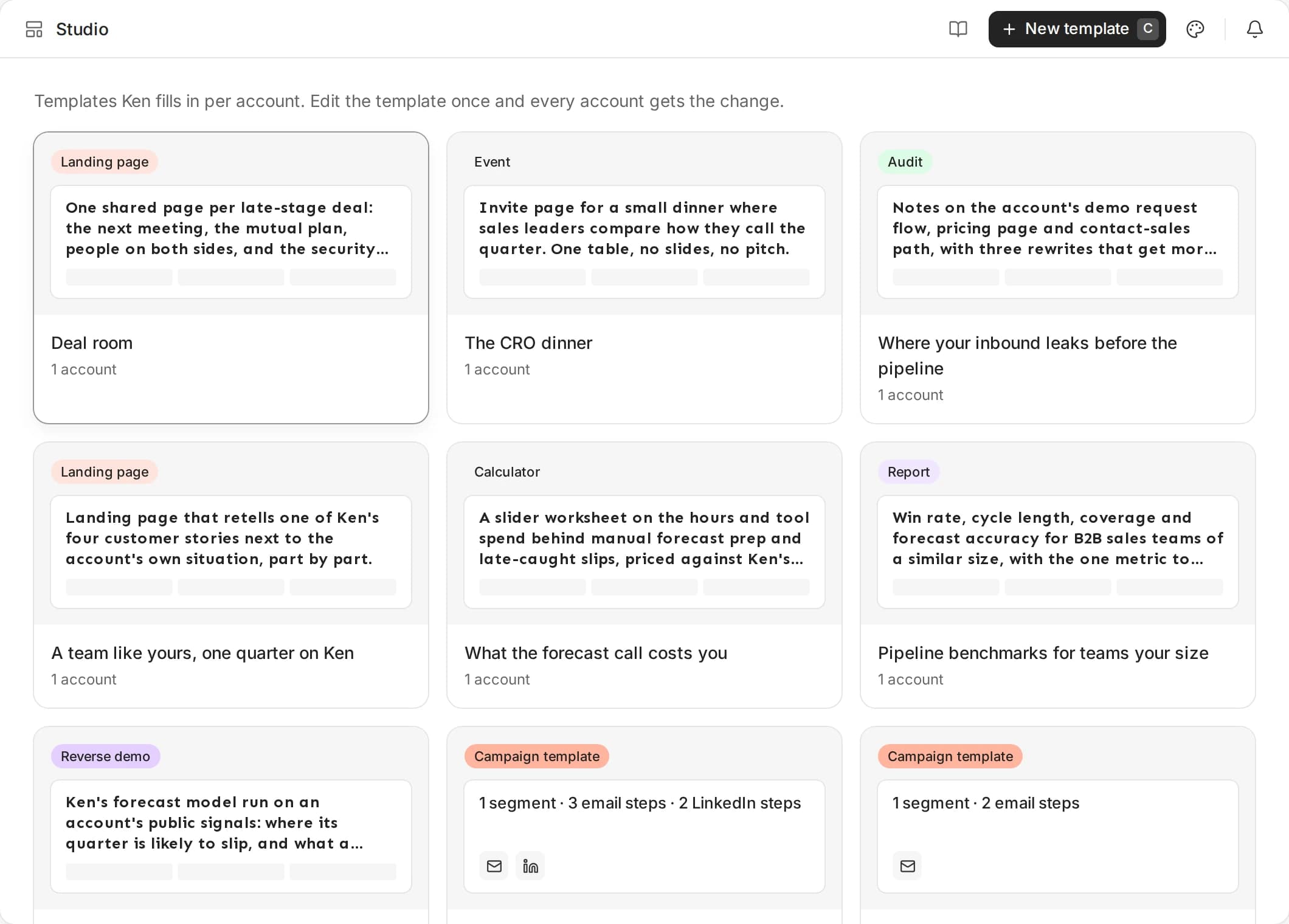
10 · Studio
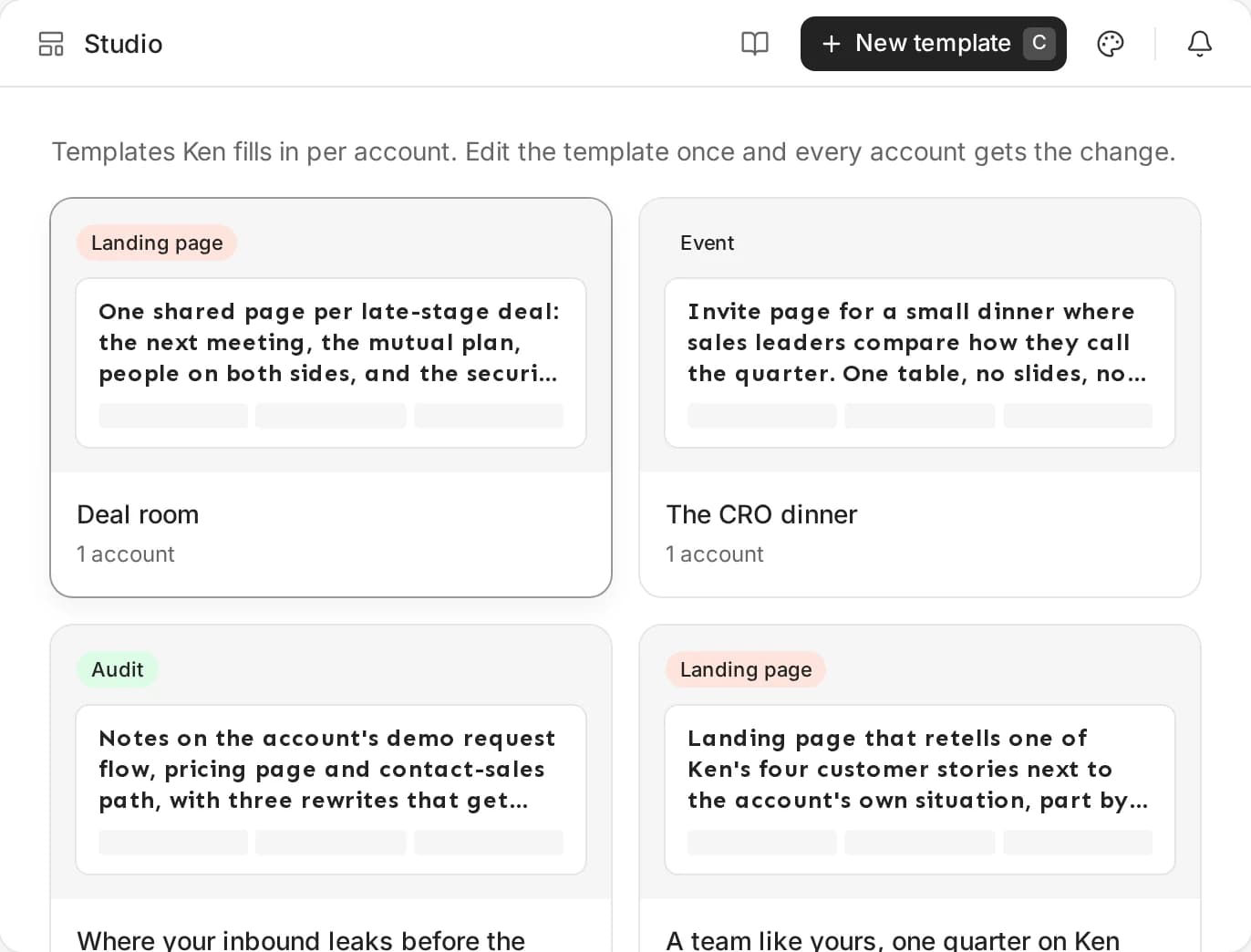
An asset for every account.
Studio fills a template in for each account from its research: a reverse demo, a landing page, an audit or a report. Edit the template once and every account gets the change. Share links let prospects and clients review it.
- Reverse demos and landing pages
- Audits, benchmarks and reports
- Share links for review and sign-off
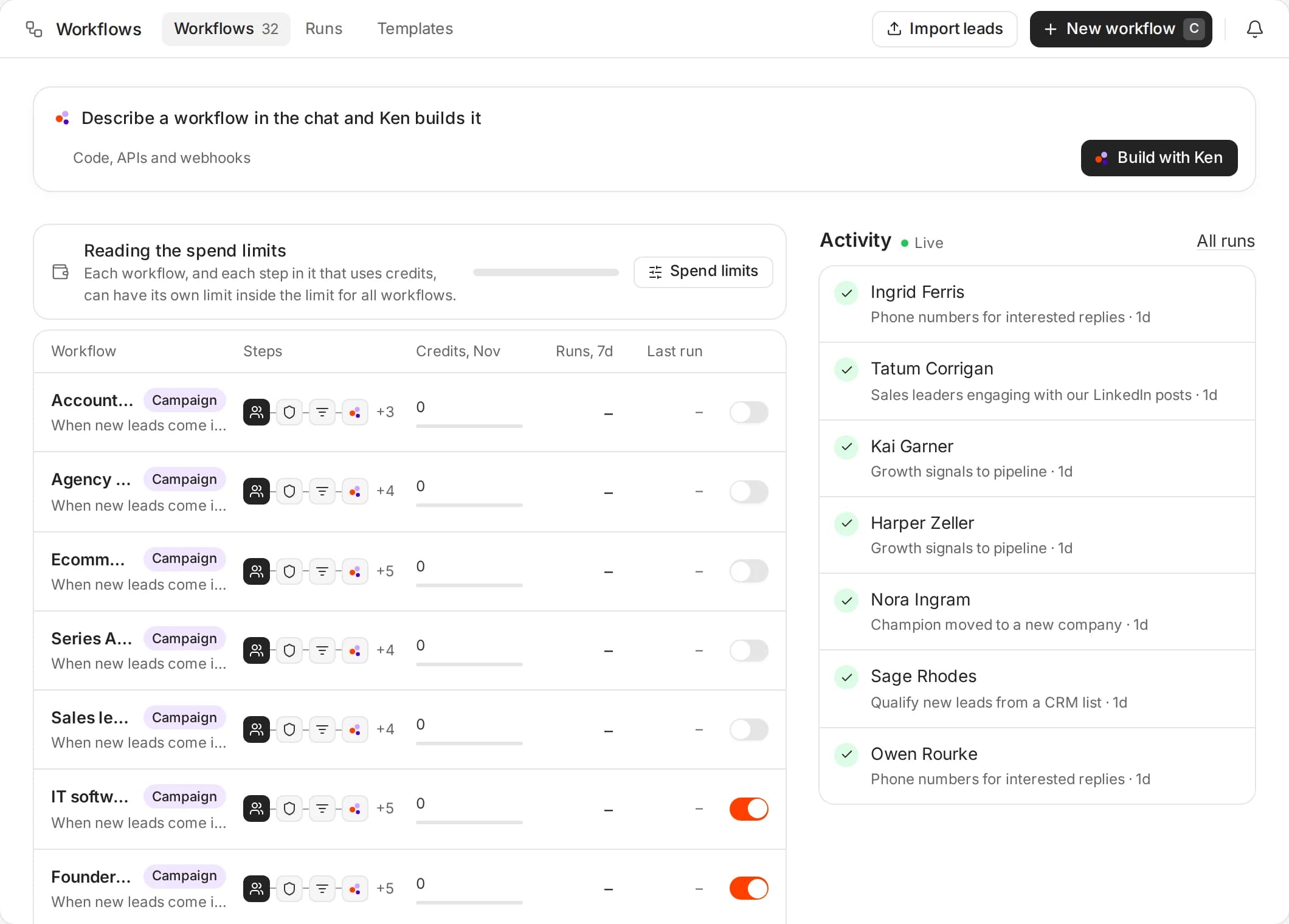
11 · Workflows
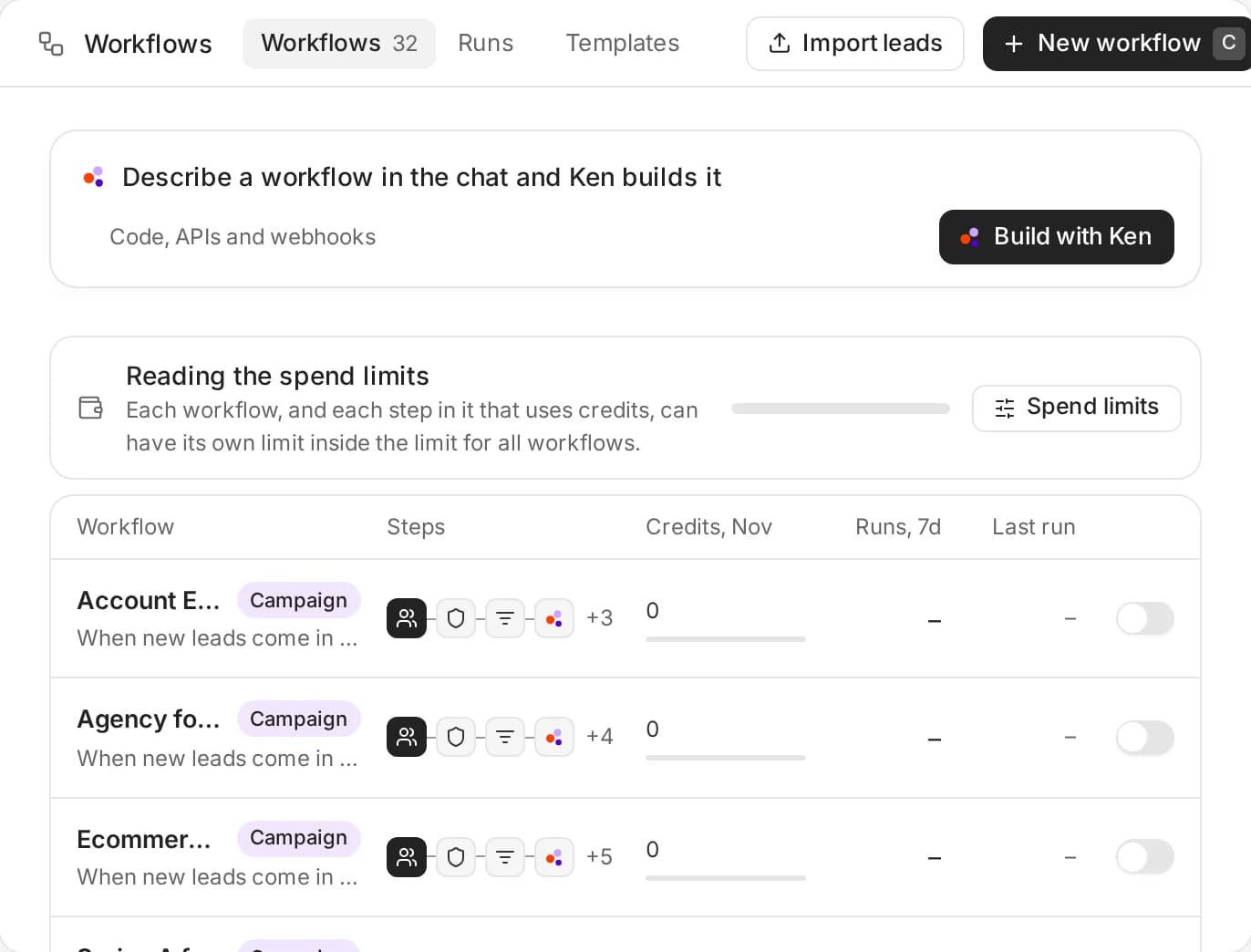
A workflow for every signal.
Turn a signal into a play: a champion changes jobs, a target account hires a new leader, a meeting turns into a deal. Ken runs the steps - email, LinkedIn, CRM updates - and asks before anything sends.
- Email, LinkedIn and campaign steps
- HubSpot and Salesforce steps
- Test runs before you switch a workflow on
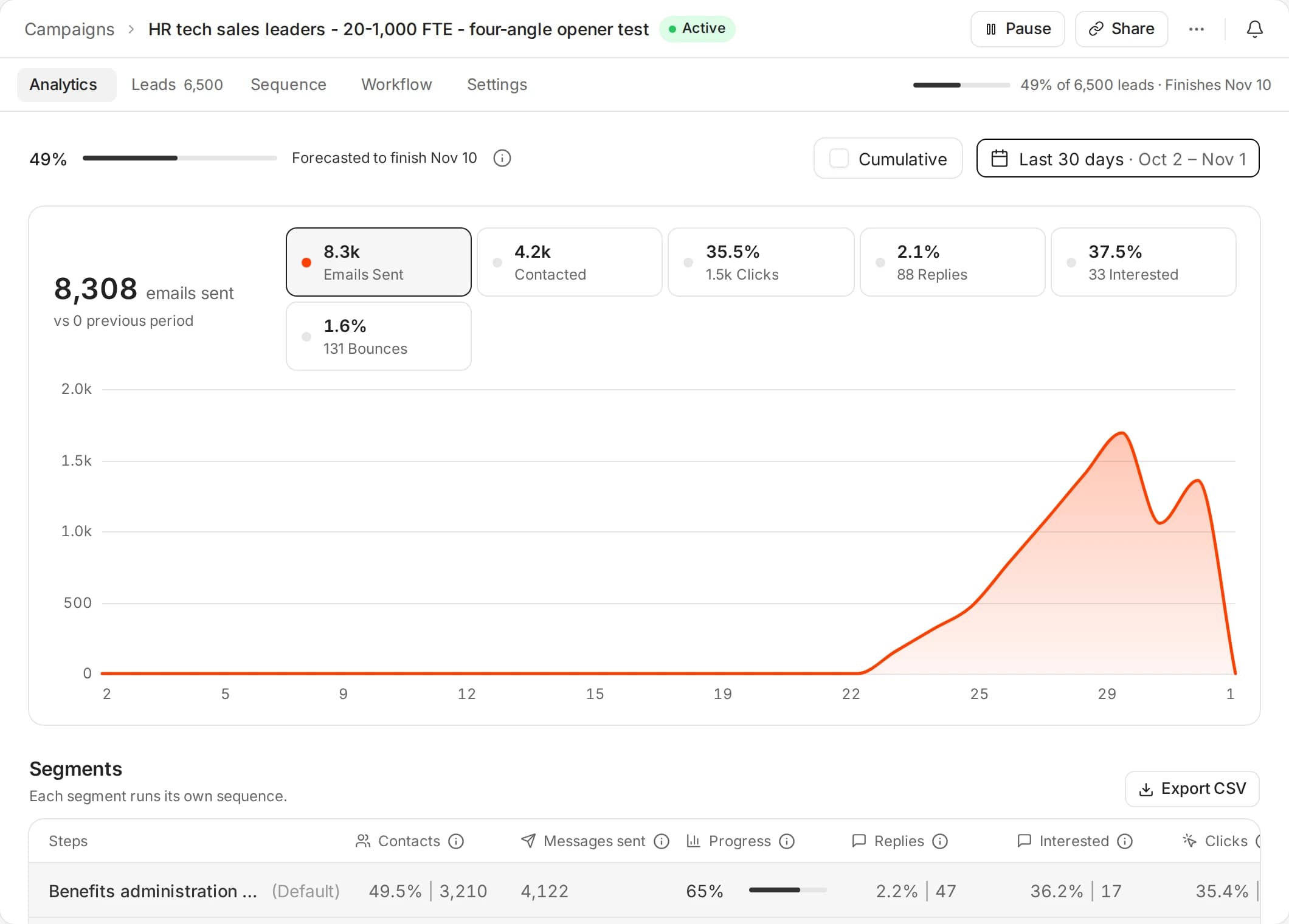
12 · Testing
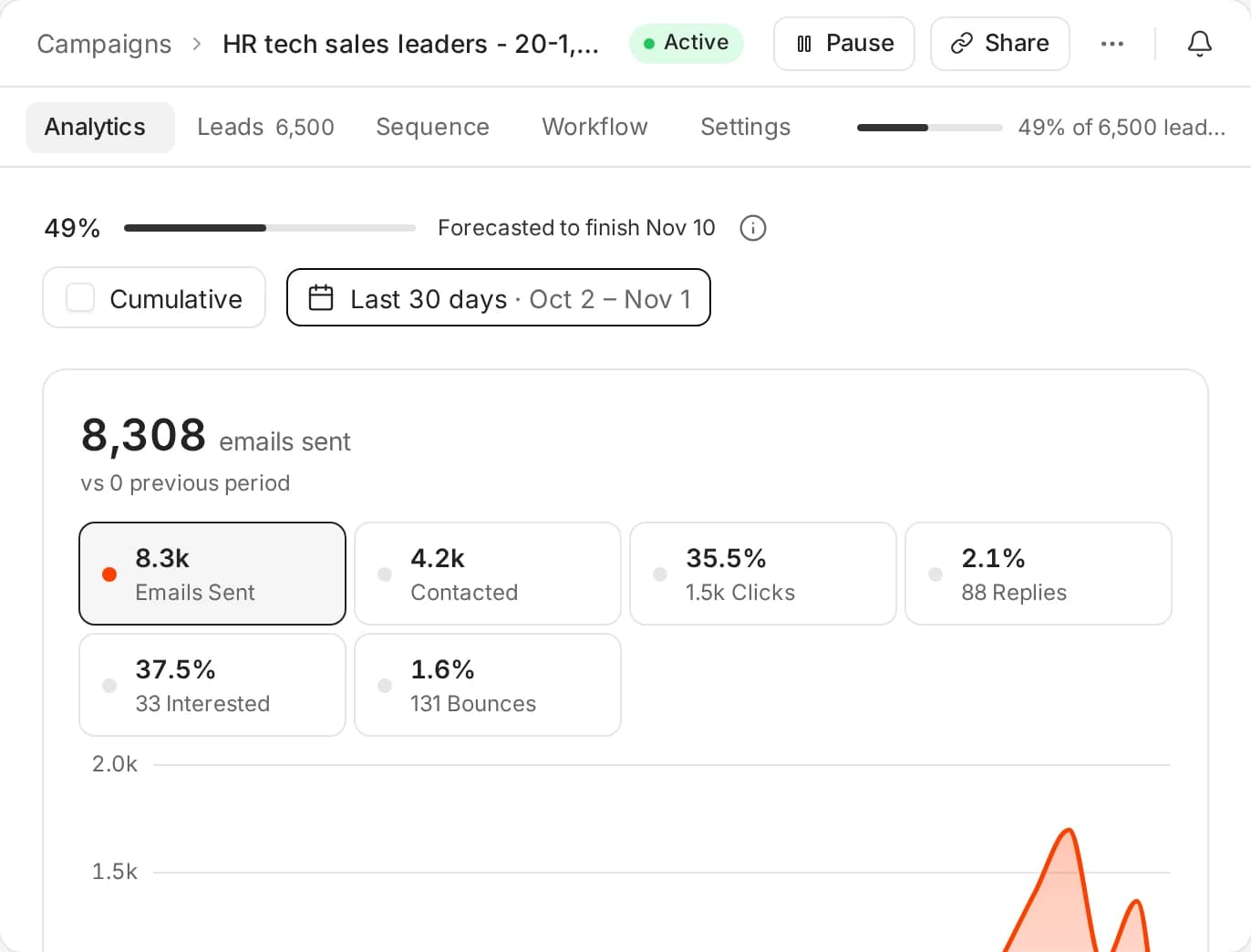
Every campaign is an experiment.
Ken tests angles, subject lines and opening lines across segments, compares the results and explains what won. Winners get more volume, and the next campaign starts from them.
- Hundreds of versions tested per campaign
- Segment-level analytics
- Readouts in plain language
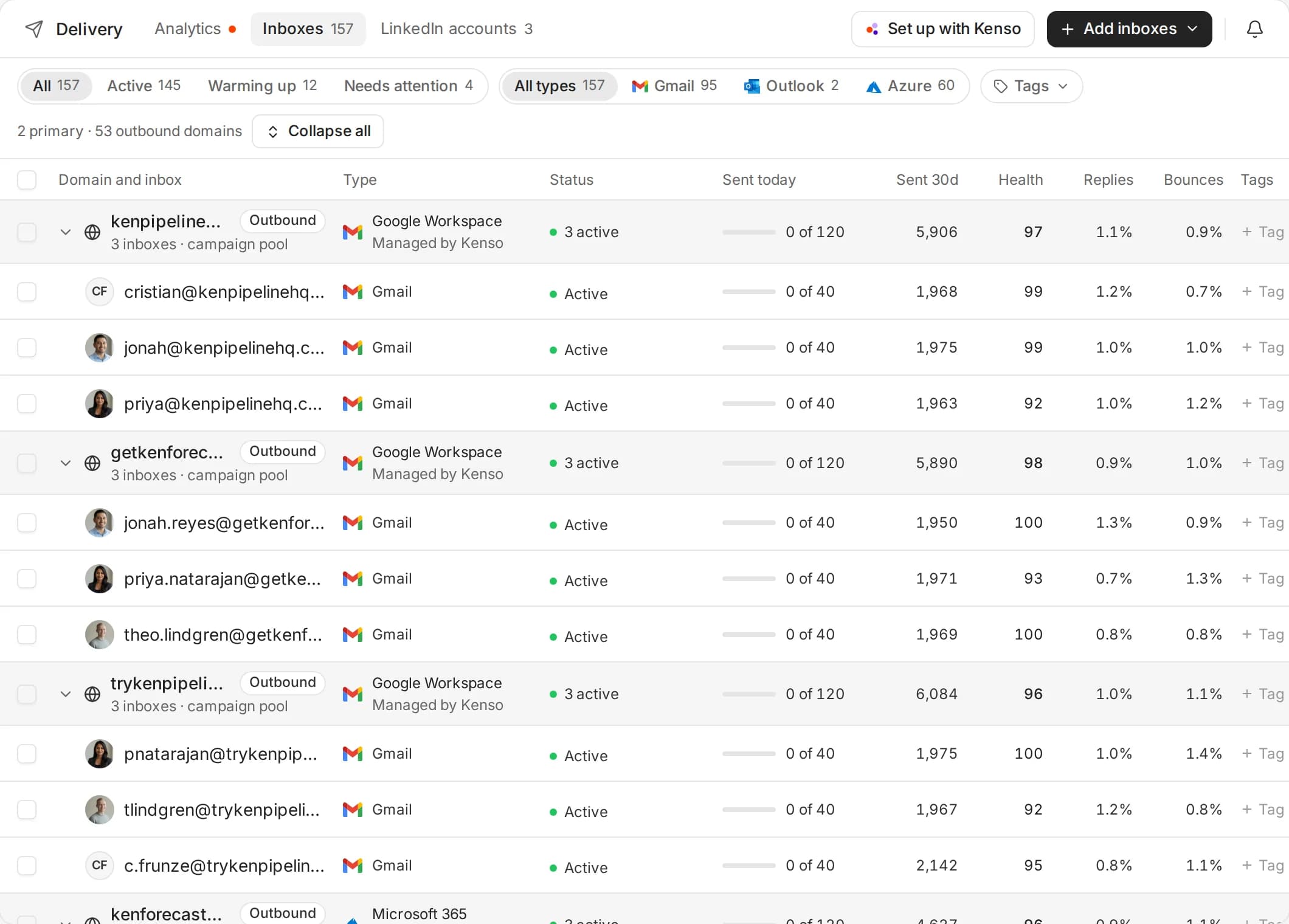
13 · Deliverability
Lands in the inbox.
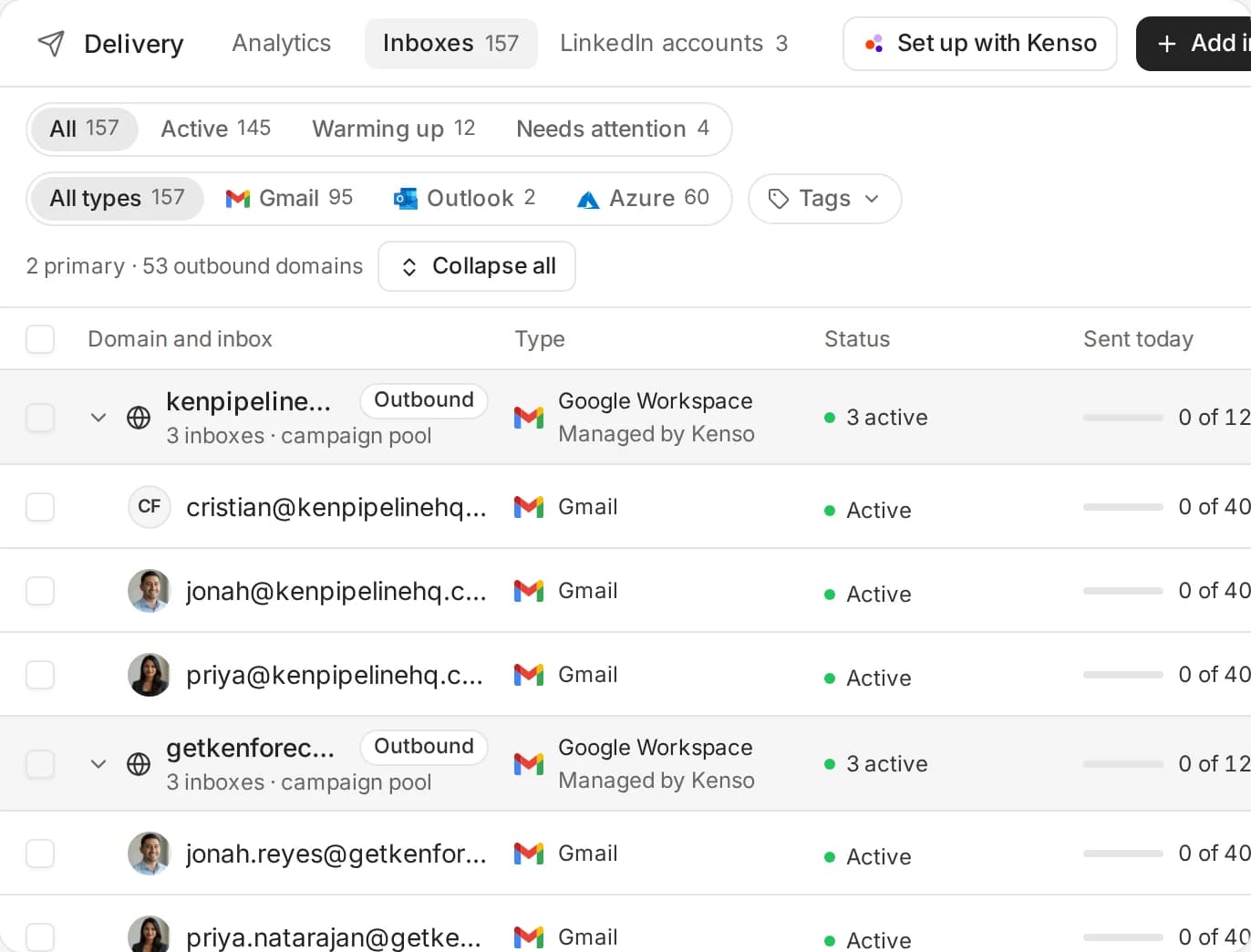
Use Kenso inboxes, domains and warmup, or connect your own Google, Microsoft and SMTP inboxes. Every email is checked against our Gmail spam replica before it sends.
- Proprietary SMTP with warm IPs
- 120+ blocklists watched
- Alternative domains keep your main domain safe
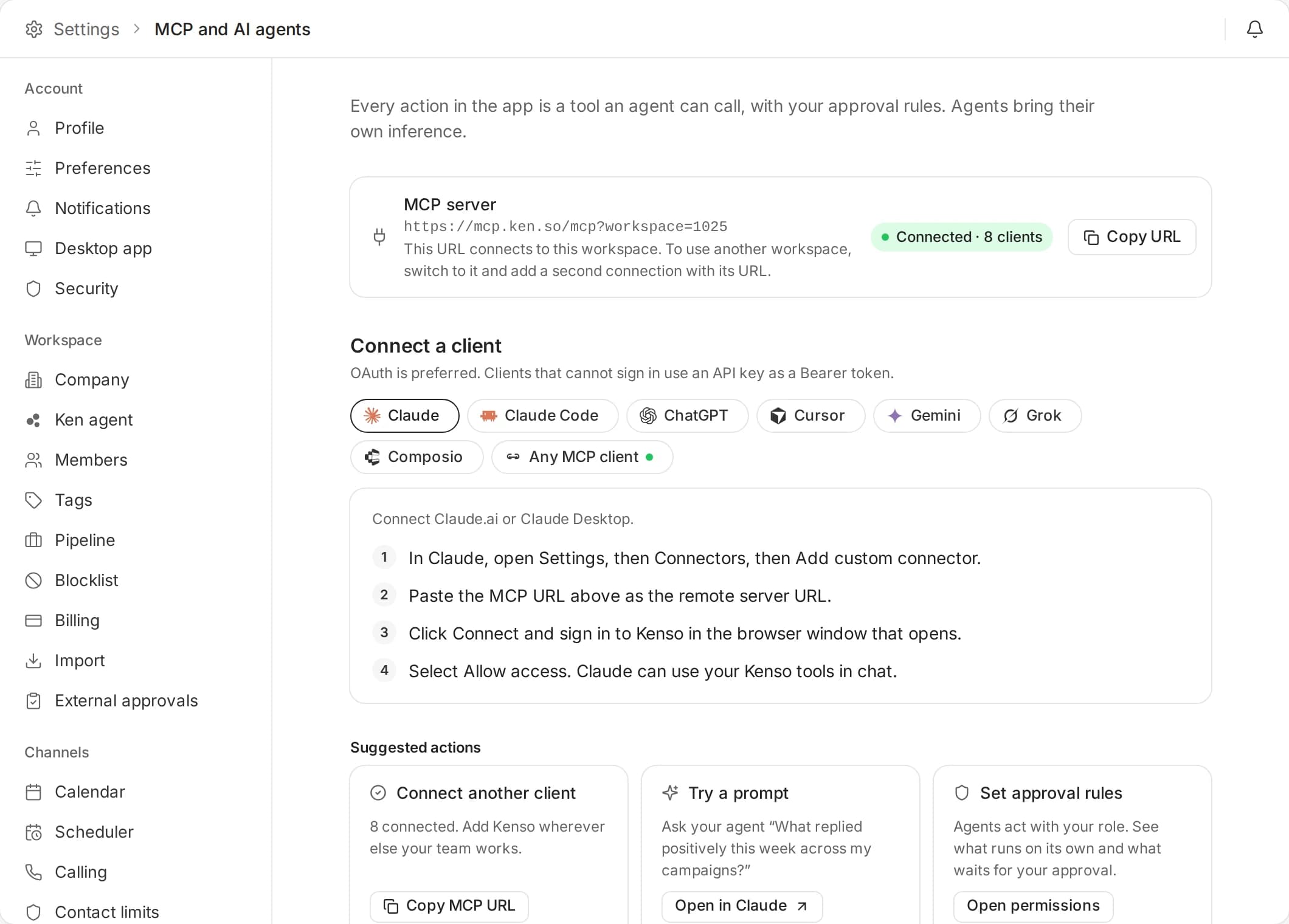
14 · Ask Ken
Ask Ken, or your own agent.
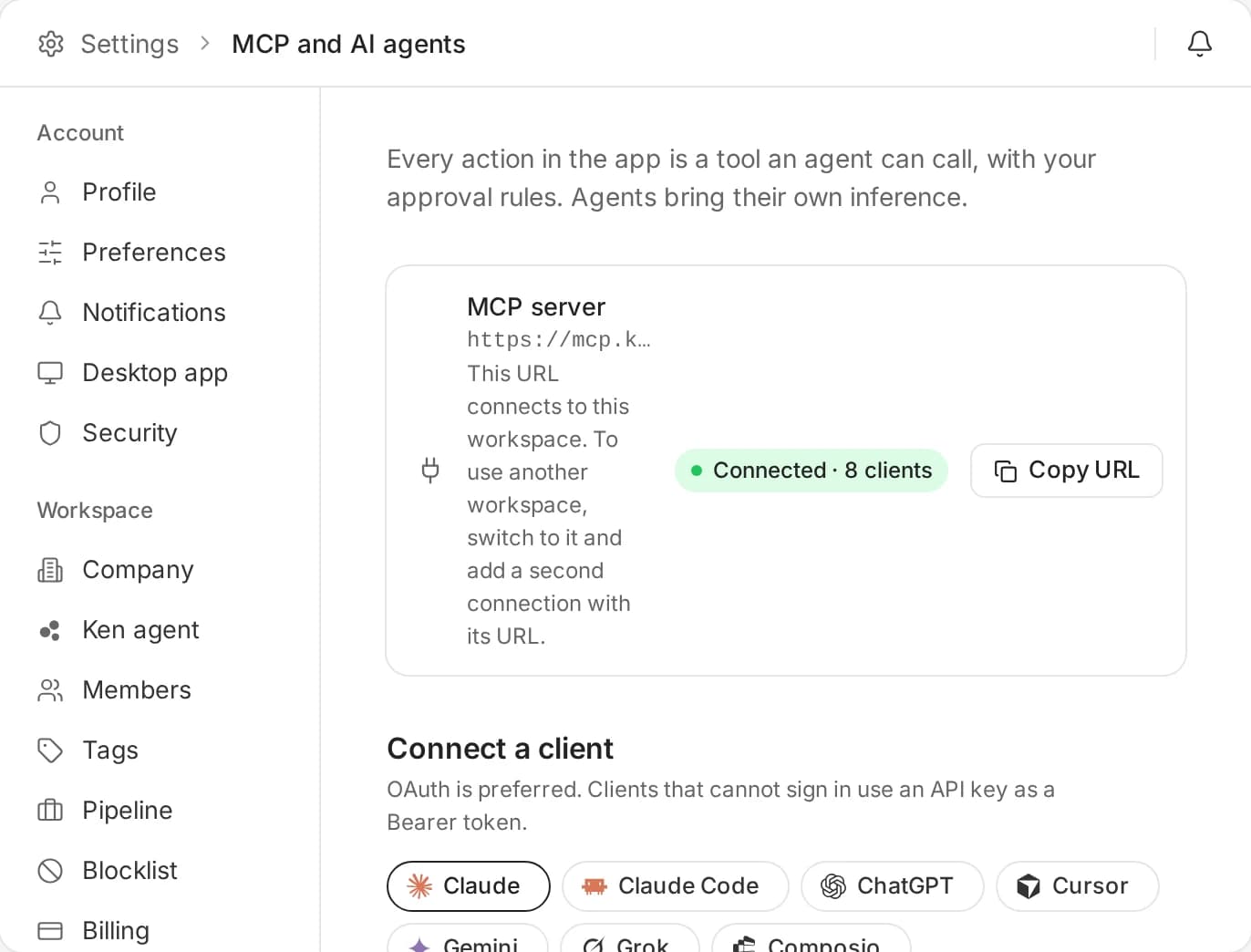
Press ⌘J to ask Ken about any account, campaign or reply. Or run the whole workspace from Claude, ChatGPT, Codex or Cursor over MCP.
- Same accounts, same campaigns
- Drafts wait for your approval
- API, MCP and webhooks on every plan



Built on infrastructure we own.
We ran these tests ourselves, on the same clients and the same campaigns.
250,000 emails moved off shared infrastructure onto our warmup network and SMTP servers.
The same live campaign, before and after the move.
500,000+ emails with the same copy and audiences. Standard AI personalization scored -25%.
The Kenso inbox against Instantly, on the same campaigns and clients.

Your CRM, or next to it.
Run outbound from Kenso and keep your CRM in sync. Or skip it and run everything in Kenso.
CRM
Two-way sync for accounts, people, deals and activity.
 HubSpot
 Salesforce
 Pipedrive
- Attio
 Close
 HighLevel
Email and calendar
Send from your own inboxes and book on your own calendar.
 Gmail
 Outlook
 Google Calendar
 Calendly
Calls and alerts
Kenso Notetaker records your calls. Approvals and replies reach you in chat.
 Zoom
 Google Meet
 Microsoft Teams
 Slack
Knowledge sources
Ken reads your docs and decks into the playbook.
 Notion
 Google Drive
 OneDrive
 Confluence
 Word
 PowerPoint
Your AI agent works on the same workspace: Claude, ChatGPT, Codex, Cursor or any MCP client. Connect over MCP
Everything we built.
The full list, for anyone who reads every line of a spec sheet.
Deliverability
- Google, Outlook, Azure and SMTP inboxes
- Basic warmup on every inbox
- Alternative domains
- Blocklist, bounce and DNS monitoring
- Weekly inbox placement tests
- Pause a single inbox
- CSV import of SMTP and IMAP inboxes
Lists and data
- 250M people and 24M companies
- Bring your own lists or CRM
- AI qualification and ICP segmentation
- LinkedIn profile and company data
- Email waterfall enrichment
- Website scraping
- Verification of uploaded lists, catch-alls included
- Signals: job changes, hiring, funding, tech stack, news
Writing
- AI campaign builds (1 free a month on Kenso Platform)
- Hundreds of versions tested per campaign
- AI personalization (300 credits per 1,000 rows)
- Spam and quality check on every email
- Writing rules, prompts and signature in Knowledge
Sequences
- Smart blocklist
- Mailbox and domain rotation
- Follow-up cadence
- Recipient timezone matching
- Greeting in the recipient's language
- Trigger-based outreach
- Retargeting campaigns
- Deduplication across campaigns
- Send-time email verification
- Connect LinkedIn accounts in 2 steps
- Connection requests, InMails and messages
- Notes and messages approved before they send
- One inbox for LinkedIn and email
On Kenso Platform, each connected LinkedIn account is 1,500 credits ($30) a month.
Inbox and replies
- One inbox for every campaign and account
- Reply drafts in your voice
- Intent tags on every reply
- Scheduled replies and reply follow-ups
- Out-of-office and wrong-person handling
- Meeting booking from a reply
- Promote a thread to Accounts
Accounts and CRM
- Account briefs: why now, angle, signals
- Buying committee as an org tree
- Deals with stage, amount and owner
- Hand-off to an AE
- Two-way sync with HubSpot, Salesforce, Pipedrive, Attio, Close and HighLevel
Meetings
- Calendar with Google and Outlook sync
- Kenso Scheduler booking pages
- Round robin and group meetings
- Invites and reminders from the host's own mailbox
- Kenso Notetaker for Mac and Windows
- No-show follow-ups drafted into Today
Analytics
- Real-time dashboard
- Ad audiences in Meta, Google and AdRoll
- Bot clicks filtered out
- Person-level analytics
- Experiments with plain-language readouts

Studio and Share
- Reverse demos and landing pages per account
- Audits, benchmarks and reports
- Share links for review and client sign-off
- Weekly reports by link
Workflows
- Plays that start from a signal
- Email, LinkedIn and campaign steps
- HubSpot and Salesforce steps
- Run code step
- Test runs and a runs API
Access
- Unlimited users and workspaces
- White-label client workspaces
- Permission templates
- API, webhooks and MCP
- Ask Ken in every screen
Unlimited on Kenso Platform. Fair-use rate limits apply.

Frequently Asked Questions
What Kenso includes, how deliverability works, and how to start.
Leads and enrichment, signals, AI writing, email and LinkedIn sequences, inboxes and deliverability, a unified inbox, a calendar, a CRM and analytics, in one workspace. Campaigns reach a whole market, and Accounts runs 1:1 plays on your biggest deals. You can run it yourself, from your AI agent, or have our team run it for you.
Kenso runs owned sending infrastructure on dedicated IPs rather than shared Gmail or Outlook pools. Sending inboxes are set up for your daily volume, warmed and monitored. Domains bought in the app are billed at registrar + 3%, paid in credits. Placement tests and spam checks run before send, so more mail lands in the primary inbox.
Yes. You set the ICP, the offer and the messaging, and approve lists and copy before anything sends. Every touch waits in Today until you approve or edit it. Kenso only approves on its own where you switch that on.
Yes. Kenso syncs both ways with HubSpot, Salesforce, Pipedrive, Attio, Close and HighLevel, and imports accounts from HubSpot and Salesforce. Or run your accounts, deals and pipeline in Kenso itself.
For cold outbound, usually yes. Database, enrichment-style research, verification, AI writing, sending, LinkedIn and the inbox sit in one workspace. Power users who need a custom multi-provider enrichment workbench may still use Clay for data ops.
Start free with 1,000 credits. No card. Or book a call and we'll walk you through Kenso on your market.
See it on your market.
Get early access with 1,000 free credits, no card. Or book a call and we'll walk you through Kenso.